
Contact Info
Saeed Colony No 2, Dogar Street Corner, Behind Lyallpur Galleria, Faisalabad - Pakistan
+92-300-9657744
khalil@vision.pk
Get StartedRecommended Services


Supported Scripts

Table of Contents
1. What the Heck Is the Codex AI Guide Actually About?
Okay, real talk. You’ve probably heard the words ‘OpenAI Codex’ flying around tech Twitter, developer Slack groups, and YouTube thumbnails. And somewhere between the hype and the confusion, you’re sitting there thinking: do I actually need this? Short answer? Yes. Long answer? That’s exactly what this codex ai guide is here to answer.
Think of Codex as your brilliant — if slightly overachieving — AI colleague who doesn’t just suggest code. It writes it, runs it, fixes it, creates pull requests, and somehow still has time to judge your variable naming choices. In 2026, the OpenAI Codex ecosystem has grown into a full-blown AI software engineering agent platform, and this guide is your front-row seat to all of it.
Whether you’re a solo developer grinding on a side project, a tech-savvy entrepreneur trying to launch your first SaaS, or a factory owner curious about automation — this codex ai guide is for you. No PhD required. No jargon fog. Just the good stuff, explained the way a smart friend would explain it over coffee.
And yes, throughout this guide, we’ll also talk about how you can use these same AI-powered innovations to build powerful websites and online stores — with help from vision.pk, Pakistan’s leading WordPress development agency. But first — let’s dive into the tech.
2. The Codex AI Guide to OpenAI Codex vs GitHub Copilot

Let’s clear up the biggest confusion in this codex ai guide right away: OpenAI Codex and GitHub Copilot are NOT the same thing, even though Copilot was originally built on Codex technology.
| Feature | OpenAI Codex App (2026) | GitHub Copilot |
| Type | Agentic AI (executes tasks end-to-end) | AI Coding Assistant (suggestions only) |
| Code Execution | Yes — runs code in cloud sandbox | No — only suggests inline |
| Pull Requests | Creates & submits PRs autonomously | Not natively supported |
| Access | ChatGPT Plus, Team, Enterprise | GitHub subscription required |
| CLI Support | Yes — Codex CLI via npm | Limited CLI integration |
| AGENTS.md Config | Yes — fully configurable | No equivalent |
| Model | GPT-5.3-Codex | GitHub Copilot model |
| Multi-language | 12+ languages incl. Rust, Terraform | Multiple languages |
| Agentic Workflows | Yes — full autonomy mode | No |
So in plain English: GitHub Copilot is like a really smart autocomplete for your IDE. OpenAI Codex is like hiring a junior developer who actually does the work — writes the code, tests it, and commits it. That’s a fundamentally different value proposition, and this codex ai guide will show you why it matters.
3. Your Step-by-Step Codex AI Guide to Getting Started

Alright, let’s get practical. This section of the codex ai guide walks you through exactly how to get up and running with OpenAI Codex in 2026 — whether you prefer a visual interface or living entirely in your terminal (we see you, command-line warriors).
Option A: The Codex App (No-Code Setup)
The Codex App is OpenAI’s slick macOS desktop application — a full command center for your AI coding agents. Here’s how to get started:
- Log in to ChatGPT with a Plus, Team, or Enterprise account.
- Navigate to the Codex section from the left sidebar.
- Connect your GitHub repository or upload your codebase.
- Create your AGENTS.md file to define project rules (more on this in Section 4!).
- Type a task in plain English — ‘Add authentication to my Next.js app’ — and watch Codex work.
Option B: The Codex CLI (For Terminal Lovers)
This is where things get really fun. The Codex CLI is a terminal-based interface that lets you interact with your codebase without ever touching a browser. Install it with:
npm i -g @openai/codex
Once installed, navigate to your project folder and run codex to start chatting with your repository. Ask it things like: “Refactor this module to use async/await” or “Find all instances of deprecated API usage and fix them.” Yes, it actually does that. Welcome to your codex ai guide moment of truth.
Option C: IDE Extensions
Codex also integrates directly into your IDE via extensions for VS Code and JetBrains products. This gives you the agentic power of Codex without leaving your development environment — a perfect middle ground between the app and the CLI.
Not sure which setup is right for you? That’s okay. If you’re a business owner or entrepreneur who wants these capabilities built into a custom WordPress site or web app, vision.pk can handle the entire technical setup. Their team is fluent in exactly this kind of modern development stack.
4. The Codex AI Guide to AGENTS.md — Your Secret Weapon
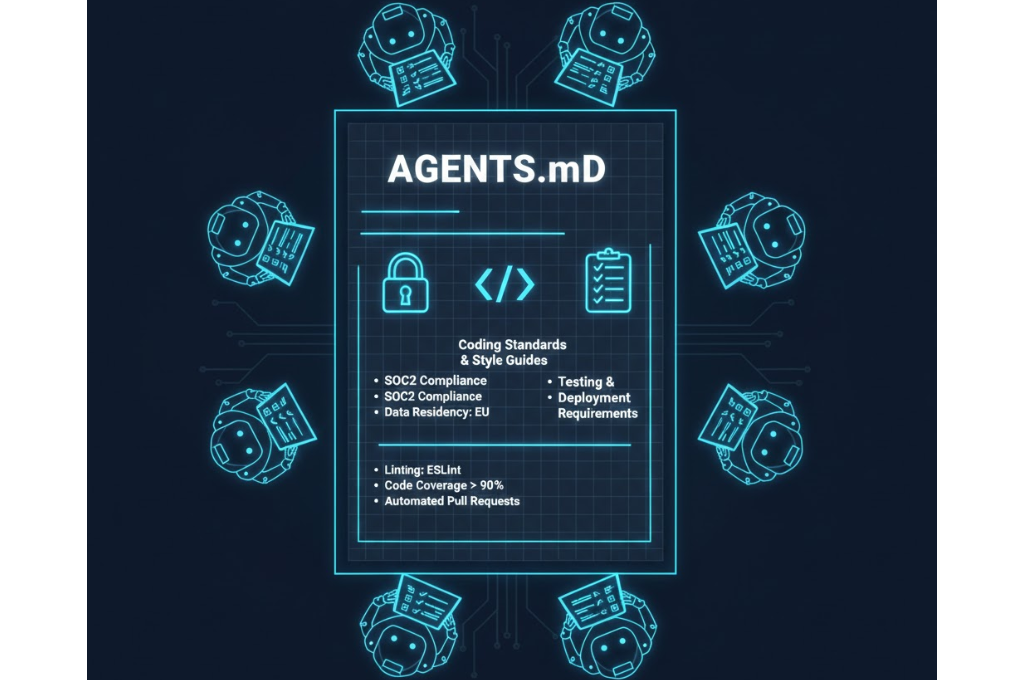
If there is one thing in this entire codex ai guide that will make you go “wait, that is brilliant” — it is AGENTS.md. This file is essentially a constitution for your AI agent. It tells Codex who it is, how it should behave, and what standards it must follow in your specific project.
Think of it this way: imagine hiring a contractor to renovate your house. You wouldn’t just hand them the keys and say ‘good luck.’ You’d give them blueprints, style guidelines, and a list of things they absolutely cannot do. AGENTS.md is that document — but for your AI developer.
What Goes Inside AGENTS.md?
- Coding standards: ‘All functions must include JSDoc comments. Use 2-space indentation.’
- Testing requirements: ‘Every new function must have a corresponding Jest unit test.’
- Security rules: ‘Never hardcode API keys. Always use environment variables.’
- Architecture constraints: ‘Do not introduce new dependencies without creating an issue first.’
- Review protocols: ‘All PRs must pass linting and coverage checks before submission.’
This is what separates casual Codex users from power users. Setting up a solid AGENTS.md means your codex ai guide principles get baked directly into every single action the AI takes. No rogue code. No surprise dependencies. Just clean, consistent, production-ready work.
If you’re planning a custom web project and want this kind of disciplined AI-assisted development, vision.pk‘s WordPress development team already operates with similar standards — ensuring every project is structured, scalable, and built to last. Sound appealing? Get in touch with vision.pk today.
5. Codex AI Guide: Skills, Sandboxes & Agentic Workflows

Now we’re getting into the deep end — and this is where the codex ai guide really separates beginners from pros. Let’s talk about three interconnected concepts that define what makes Codex genuinely agentic.
The Skills Library: Superpowers on Demand
In Codex, a Skill is a modular, reusable tool that extends the AI’s capabilities. Think of Skills like apps on your phone — each one does a specific job, and you can mix and match them for different projects.
You invoke Skills using the $ prefix. So if you want Codex to generate an image as part of a task, you’d reference $imagegen in your prompt. If you need it to call a specific external API, there’s a skill for that. Skills can be pre-built by OpenAI or custom-built by your team — making them insanely powerful for specialized workflows.
Cloud Sandboxing: Code That Actually Runs
Here’s what makes the 2026 version of Codex genuinely jaw-dropping: it doesn’t just write code. It executes it. Inside SOC2-compliant isolated cloud containers, Codex spins up a clean environment, runs your code, checks test results, and iterates until unit tests pass — before showing you anything.
This is the difference between a coding assistant that tells you what to do and an AI software engineering agent that actually does it. The sandbox approach ensures your local machine stays clean, your production environment stays safe, and the AI is accountable for working code — not just plausible-looking code.
Agentic Workflows: Delegation at Scale
An agentic workflow is when you assign Codex a high-level task — like ‘migrate this legacy PHP codebase to Node.js’ — and it breaks it down into subtasks, executes them in parallel, checks results, and produces a final output with a full audit trail.
This concept is what the entire second half of this codex ai guide builds toward: delegating entire engineering workflows to AI, not just individual lines of code. For business owners and entrepreneurs, this is massive. It means your technical team can focus on architecture and strategy while AI handles the execution layer.
Imagine applying this same philosophy to your website. A team like vision.pk combines human expertise with modern tooling to build WordPress sites that are fast, scalable, and future-proof. Whether you need a WooCommerce store, a custom business site, or a full web application — they’ve got the agentic approach down to a science.
6. Codex AI Guide: Multi-Language Support & Real-World Use Cases
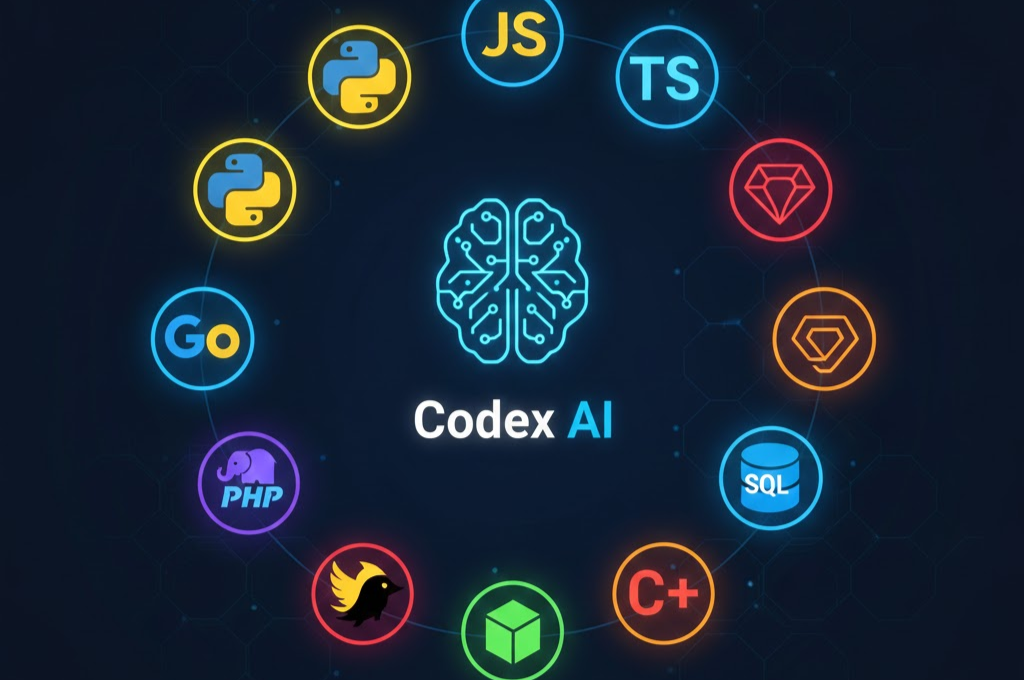
One of the most underrated facts in any codex ai guide is the sheer breadth of Codex’s language support. We’re not talking about Python-only or JavaScript-heavy. As of 2026, Codex is fluent in 12+ major programming languages — and it handles each with genuine depth, not just syntax awareness.
| Language | Primary Use Case | Codex Skill Level |
| Python | Data science, ML pipelines, automation | Expert |
| JavaScript / TypeScript | Web frontends, Node.js backends | Expert |
| Go | Microservices, cloud-native APIs | Advanced |
| Ruby | Rails applications, legacy migration | Advanced |
| Swift | iOS apps, Apple ecosystem | Proficient |
| Rust | Systems programming, performance-critical code | Proficient |
| PHP | WordPress, CMS, legacy backends | Advanced |
| Terraform | Infrastructure as code, DevOps | Proficient |
| SQL | Database queries, schema migrations | Expert |
| Bash/Shell | Automation scripts, CI/CD pipelines | Advanced |
Real-World Use Cases Where This Codex AI Guide Actually Saves You Money
Legacy Code Migration: Got a PHP 5.6 application running your business? Codex can autonomously audit it, refactor it to modern PHP 8.2 or even migrate it to Node.js, and create documented PRs for every change. This is months of developer hours compressed into days.
Automated Code Review: Set Codex up as a gate in your CI/CD pipeline. Every PR gets reviewed for style violations, security vulnerabilities, and test coverage gaps — automatically, before any human looks at it.
WooCommerce & WordPress Plugin Development: Yes, really. Codex is excellent at PHP and WordPress architecture. Imagine building a custom WooCommerce plugin with AI handling the boilerplate while your team focuses on business logic. This is exactly the kind of workflow vision.pk leverages to deliver faster, higher-quality WordPress projects.
Shopify Theme Customization: Shopify partners and freelancers — this one’s for you. Codex understands Liquid templating language and can automate repetitive theme customizations at scale.
7. Codex AI Guide: Pricing, Rate Limits & Plans (2026)

Let’s talk money — because no codex ai guide is complete without a clear breakdown of what Codex actually costs and what you get at each tier.
| Plan | Codex Access | Rate Limits | Special Features |
| ChatGPT Free / Go | Limited trial access | Standard (1x) | Trial only, limited tasks |
| ChatGPT Plus | Full access included | 2x higher than Free | All core Codex features |
| ChatGPT Team | Full access included | 2x higher than Free | Team collaboration + shared agents |
| ChatGPT Enterprise | Full access + priority | Highest rate limits | Data Residency, Compliance API, SOC2 |
The key takeaway from this section of the codex ai guide: if you’re serious about using Codex for production-level work, ChatGPT Plus is the minimum entry point. Enterprise is for teams handling sensitive code — think regulated industries, healthcare data, or financial systems. The rate limit difference matters more than it sounds when you’re running parallel agentic tasks across a large codebase.
Also worth knowing: there’s no separate Codex API pricing in the traditional sense. As of early 2026, Codex capabilities are bundled into the ChatGPT subscription tiers rather than metered separately per token — which is honestly great news for predictable budgeting.
8. Codex AI Guide: Security, Privacy & Cloud Sandboxing

Security is the question every serious developer and business owner has when reading a codex ai guide. And it’s the right question. When you’re giving an AI agent access to your codebase, you need to know your intellectual property is protected.
How Codex Protects Your Code
- Isolated Containers: Every Codex task runs in a fresh, isolated cloud container. Your code never mingles with other users’ code.
- SOC2 Type II Compliance: OpenAI’s infrastructure meets enterprise-grade security standards, audited independently.
- Data Residency (Enterprise): For Enterprise users, code can be configured to stay within specific geographic boundaries — critical for GDPR compliance in Europe or data sovereignty requirements.
- Compliance API: Enterprise plans include hooks for your own compliance tools, letting you audit every action Codex takes.
- No Training on Your Code: OpenAI has stated that code processed through Codex in Enterprise and Team tiers is not used to train future models.
For freelancers and agencies handling client code — including WordPress and WooCommerce projects — this matters. vision.pk applies similarly rigorous standards: all client code is handled with strict confidentiality, secure development environments, and documented handoff processes. It’s the professional standard that sets real agencies apart from fly-by-night developers.
Reasoning Controls: Speed vs. Depth
One genuinely clever feature in this codex ai guide‘s toolkit is Reasoning Controls. You can dial the AI’s thinking depth up or down:
- Minimal Reasoning: Fast responses — ideal for syntax fixes, formatting, or simple refactors.
- Standard Reasoning: Balanced — good for most development tasks.
- High Reasoning: Slow but thorough — use this for complex architectural decisions, security audits, or full-module rewrites.
9. Codex AI Guide: Codex vs Claude Code — The 2026 Showdown
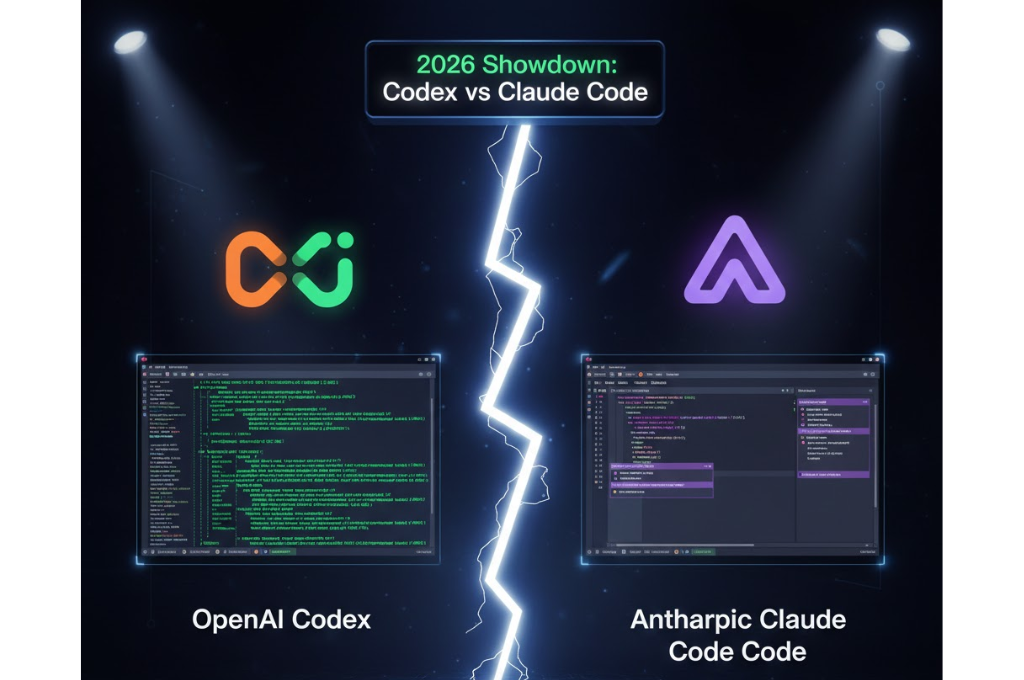
Since this is a thorough codex ai guide, let’s address the elephant in the room: Codex vs Claude Code is the comparison developers are debating all over the internet in 2026. Here’s the unbiased breakdown.
| Dimension | OpenAI Codex | Claude Code |
| Autonomy Level | Fully agentic — runs multi-step tasks solo | Highly capable but slightly more collaborative |
| Code Execution | Built-in cloud sandbox | Requires local or configured environment |
| GitHub Integration | Native PR creation & submission | Terminal-based, less GUI-native |
| Configuration | AGENTS.md system | Flexible prompt-based steering |
| Long Context | Very strong | Exceptional — Claude’s flagship strength |
| Pricing | Bundled with ChatGPT plans | Anthropic API or Claude Pro/Team |
| Best For | Autonomous repo-level tasks, sprints | Deep reasoning, complex architectures |
The honest answer? They’re both excellent and not really competitors — they excel at different things. Codex wins on automation and GitHub-native workflows. Claude Code wins on nuanced reasoning and massive context windows. The best developers in 2026 aren’t choosing one — they’re using both
For the purposes of this codex ai guide, Codex is the focus — but knowing where its edges are makes you a smarter user.
10. FAQs — The Codex AI Guide Answers Your Burning Questions

Q: What is the current version of OpenAI Codex in 2026?
A: As of early 2026, the Codex ecosystem runs on the GPT-5.3-Codex model. It’s evolved far beyond a simple API — you now have a macOS desktop app, a powerful CLI (installable via npm), and IDE extensions for VS Code and JetBrains. This codex ai guide reflects the latest capabilities.
Q: Is OpenAI Codex different from GitHub Copilot?
A: Yes — significantly. While Copilot was originally built on Codex technology, the current Codex App and CLI are OpenAI’s own first-party agentic platforms. Copilot suggests code inline in your IDE. Codex autonomously manages repositories, runs tests, and submits pull requests. Completely different use cases.
Q: Does Codex require a paid subscription?
A: Codex is included with ChatGPT Plus, Team, and Enterprise plans. There’s currently a limited-time trial available for Free and Go users. Paid tiers get 2x the rate limits, which matters a lot when running parallel agentic tasks.
Q: Can Codex actually run and test my code?
A: Yes — and this is one of the biggest differentiators highlighted in this codex ai guide. The 2026 version runs code inside isolated cloud sandboxes, checks test results, and iterates until your unit tests pass before showing you the output.
Q: What is the AGENTS.md file?
A: It’s a configuration file that acts as your AI agent’s rulebook. It contains project-specific coding standards, testing requirements, security rules, and architectural constraints. Setting up a solid AGENTS.md is the difference between a raw AI assistant and a disciplined AI developer.
Q: Does Codex support languages other than Python?
A: Absolutely. This codex ai guide confirms Codex is proficient in 12+ languages: Python, JavaScript, TypeScript, Go, Ruby, Swift, Rust, PHP, SQL, Bash, Terraform, and more. It even handles infrastructure-as-code languages.
Q: How does the Skills library work?
A: Skills are modular tools that extend Codex’s capabilities. You invoke them with the $ prefix (e.g., $imagegen). They can be pre-built by OpenAI or custom-built for your specific tech stack. Think of them as plugins that give Codex superpowers tailored to your project.
Q: Can I use Codex directly in my terminal?
A: Yes — install via: npm i -g @openai/codex. The Codex CLI lets you chat with your codebase, delegate tasks, and run agentic workflows entirely from the command line. Perfect for developers who live in the terminal.
Q: Is my code private and secure?
A: OpenAI uses SOC2-compliant isolated containers for all Codex tasks. Enterprise users get additional Data Residency and Compliance API features. Team and Enterprise tiers do not use your code to train future models.
Q: How do I handle slow or over-reasoned responses?
A: Use the Reasoning Controls feature. Set it to Minimal for quick syntax fixes, Standard for everyday tasks, and High for complex architectural refactors where deeper thinking leads to better results.
11. Why vision.pk Is Your Go-To Partner for AI-Powered WordPress Development

You’ve made it to the most important part of this codex ai guide — and no, I’m not talking about AI. I’m talking about what you actually do with everything you’ve just learned.
Because here’s the truth: understanding Codex is powerful. But applying it to build a real, revenue-generating online presence? That requires expertise, strategy, and a team that’s done it hundreds of times. That team is vision.pk.
Who Is vision.pk?
vision.pk is Pakistan’s premier WordPress development agency, trusted by businesses, entrepreneurs, Shopify partners, and freelancers across Pakistan and internationally. They specialize in:
- Custom WordPress Development: Fully bespoke websites built from scratch with modern architecture.
- WooCommerce & Online Store Development: High-converting eCommerce solutions that actually sell.
- WordPress Plugin Development: Custom plugins that extend your site’s functionality without bloat.
- Website Performance Optimization: Speed, Core Web Vitals, and technical SEO — the works.
- Domain Registration & Web Hosting: Get your .pk or .com domain with local expert support.
- AI-Assisted Development: The team at vision.pk integrates modern AI tooling — including Codex-inspired workflows — to deliver faster, smarter development.
Why Hire vision.pk Instead of a Freelancer?
| Factor | Freelancer | vision.pk |
| Reliability | Inconsistent availability | Dedicated team, always available |
| Scope Handling | Limited bandwidth | Full project scopes, any size |
| Post-Launch Support | Often disappears | Ongoing maintenance & support |
| Code Quality | Varies widely | Standards-driven, documented |
| AI Integration | Rarely current | Modern stack, Codex-informed |
| Timeline | Unpredictable | Milestone-based, transparent |
The bottom line from this codex ai guide: AI is transforming what’s possible in development, but you still need experienced humans to architect, strategize, and execute. vision.pk is the bridge between cutting-edge AI capability and real-world business results.
Ready to Build Something Extraordinary?
Whether you’re launching your first online store, migrating a legacy site, or building a custom web application — vision.pk has the expertise, the team, and the AI-powered workflows to bring your vision to life. Fast. Clean. Professional.
Conclusion: Your codex ai guide Journey Starts Now
We’ve covered a lot in this codex ai guide. From understanding what sets OpenAI Codex apart from GitHub Copilot, to setting up your first AGENTS.md, to navigating pricing plans and security sandboxes — you’re now equipped with everything you need to make smart decisions about AI-assisted development.
The codex ai guide lesson? AI isn’t replacing developers. It’s multiplying their impact. The developers and businesses that learn to orchestrate AI agents — rather than just react to them — will win in 2026 and beyond.
And when you’re ready to turn that knowledge into a real, live, high-performing website? vision.pk is the partner that brings the human expertise, the technical depth, and the AI-powered workflows to make it happen.
Don’t just read about the future of development. Build it. Start your project with vision.pk today — and let’s create something that actually matters.