
Contact Info
16-Z-1, Madina Town, Near Bank Morr Susan Road, Faisalabad- Pakistan.
+92-300-9657744
khalil@vision.pk
Get StartedRecommended Services


Supported Scripts

Table of Contents
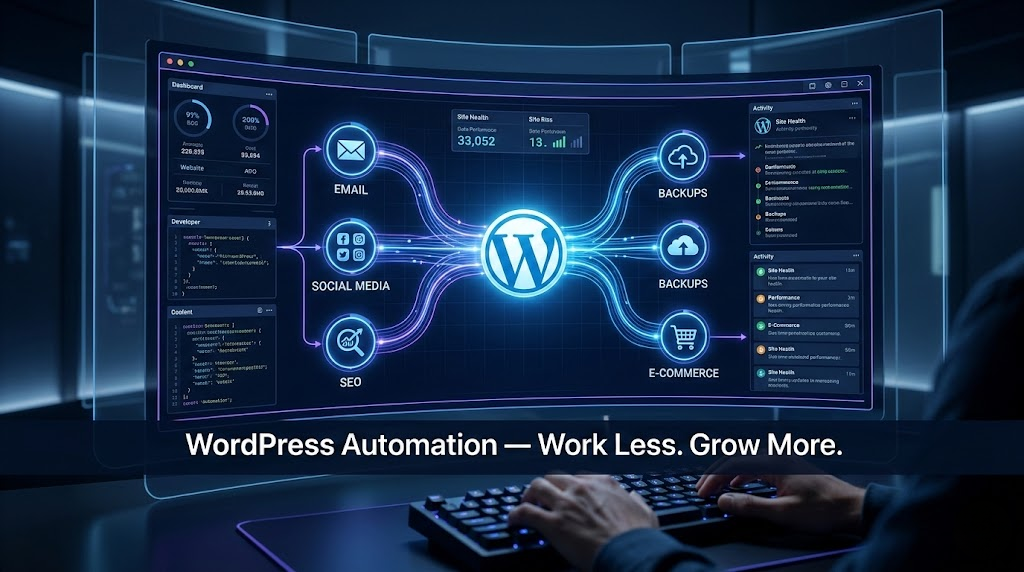
Why WordPress Automation Is No Longer Optional
Let me be real with you for a second.
If you’re still manually posting to social media every day, manually sending follow-up emails, manually checking your site’s security, and manually updating your plugins one by one — you’re not running a business. You’re running a hamster wheel. And the wheel is spinning faster than ever.
WordPress automation has gone from a “nice-to-have” feature to an absolute survival tool in 2026. The websites beating you in search rankings? They’re automated. The online store that seems to always send the perfect email at the perfect time? Automated. The agency that delivers results for 30 clients without burning out? You guessed it — completely automated.
The good news? Getting into WordPress automation has never been easier, cheaper, or more powerful. Whether you’re a solo freelancer, a factory owner with a new e-commerce ambition, a seasoned developer, or a business owner who just wants your website to do something while you sleep — this guide is for you.
And if all of this sounds exciting but a little overwhelming? That’s exactly why Vision.pk exists. They’re the team that will build, configure, and automate your WordPress site from the ground up — so you don’t have to figure it out alone.
What Exactly Is WordPress Automation?
Here’s the simplest way to think about WordPress automation: it’s teaching your website to make decisions and take actions — without you being there.
Think of it like hiring a very reliable, never-sleeping employee who does exactly what you tell them, every single time.
The mechanics work like this:
- A trigger happens (someone submits a contact form, makes a purchase, leaves a comment)
- An action is fired automatically (they get added to your CRM, receive a welcome email, get tagged in your email list)
That’s the heartbeat of WordPress automation — triggers and actions. Everything else is just elaboration.
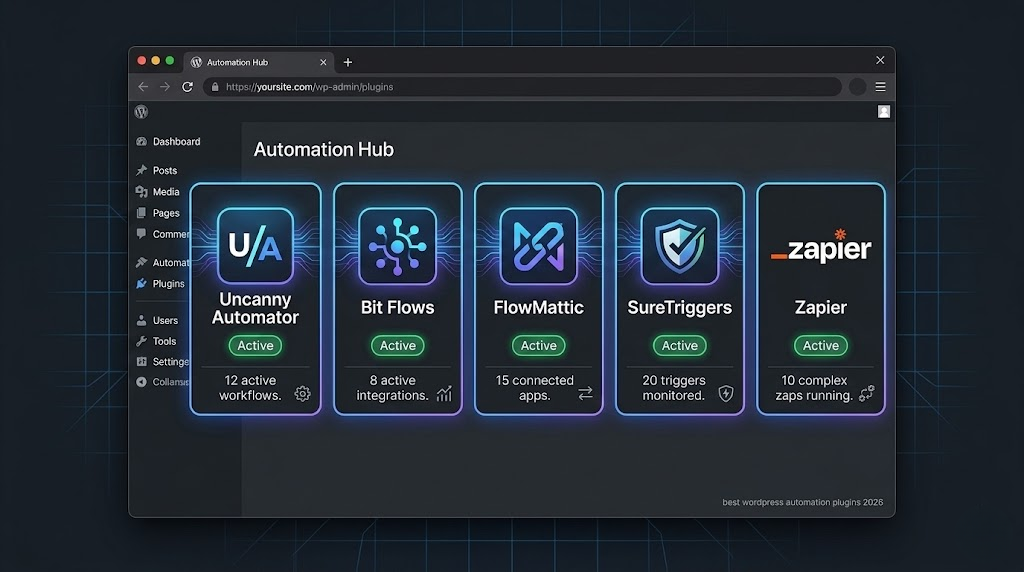
Tools like Uncanny Automator, Bit Flows, FlowMattic, and SureTriggers have made this process incredibly visual and intuitive. You drag, you drop, you connect. No PHP. No JavaScript. No headaches.
And when a professional team like Vision.pk sets it up for you, those automations become bulletproof — customized to your exact business logic, not some generic template.
How a Typical WordPress Automation Workflow Looks
Let’s make this tangible with a real-world example.
Imagine you run an online clothing store. Here’s what a typical WordPress automation workflow might look like:
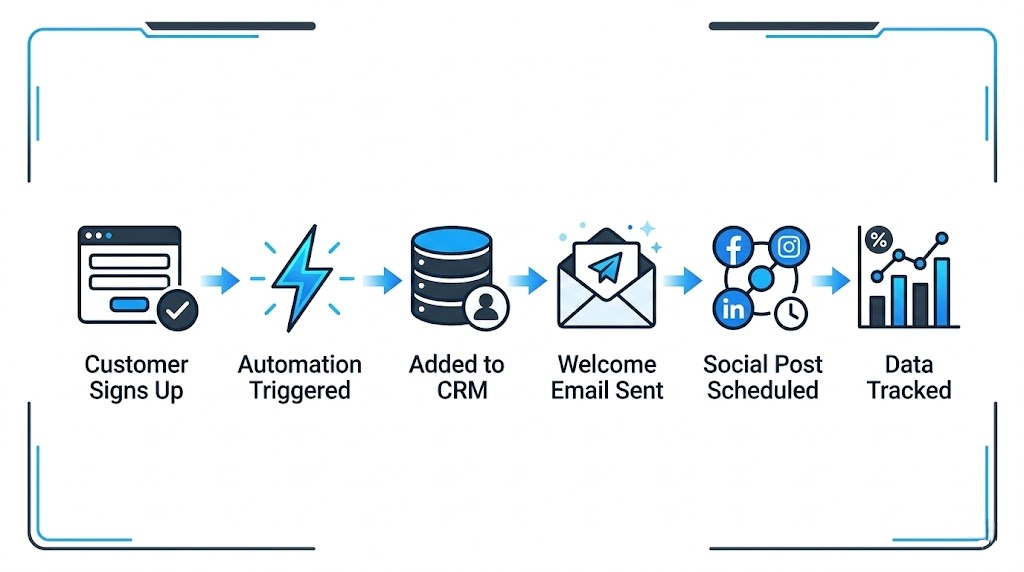
| Step | What Happens | Tool Used |
|---|---|---|
| Customer fills a signup form | Trigger is fired | WPForms / Gravity Forms |
| User added to email list | Action executed | Mailchimp / FluentCRM |
| Welcome email is sent | Automated sequence | FluentCRM / ActiveCampaign |
| User tagged by interest | Smart segmentation | Uncanny Automator |
| Social post scheduled | Content distribution | Buffer / Jetpack Social |
| Purchase completed | Upsell triggered | CartFlows / WooCommerce |
| Review requested | Post-purchase email | SureTriggers |
Every single step above happens automatically. You set it up once. Then it runs forever. That’s the power of WordPress automation.
Want this exact setup built for your business? Contact Vision.pk today — they’ll map out your entire automation strategy and execute it flawlessly.
Best WordPress Automation Plugins in 2026
There are dozens of WordPress plugins claiming to solve your automation problems. Let’s cut through the noise and talk about the ones that actually deliver.
1. Uncanny Automator
The undisputed heavyweight of WordPress automation plugins. Uncanny Automator connects over 180 plugins and apps, handles complex multi-step workflows, and supports conditional logic that would make a developer’s jaw drop. If your site uses LMS, membership, or e-commerce features together, this is your weapon of choice.
Best for: Complex, multi-plugin WordPress environments.
2. Bit Flows
The exciting newcomer that everyone’s talking about. Bit Flows features a native AI agent that can make decisions inside your workflows — not just execute steps blindly. It’s the closest thing to having a thinking automator built right into your WordPress dashboard.
Best for: AI-powered WordPress automation with intelligent branching.
3. FlowMattic
A clean, visual workflow automation tool with a growing library of integrations. FlowMattic strikes a beautiful balance between power and simplicity — perfect for small agencies or business owners who want professional automation without enterprise-level complexity.
Best for: Visual workflow builders who want speed and clarity.
4. SureTriggers
SureTriggers is the rising star of no-code automation for WordPress. It connects your WordPress site with external apps like Google Sheets, Slack, Airtable, and more — without touching a single line of code.
Best for: Connecting WordPress to external tools and SaaS platforms.
5. Zapier + WordPress
Not technically a plugin, but Zapier’s WordPress integration is arguably the most powerful external workflow automation tool available. Since Zapier runs on its own servers, it won’t slow your site down at all.
Best for: Power users who want to connect WordPress to thousands of third-party apps.
No-Code Automation: You Don’t Need to Write a Single Line of Code
Let’s address the elephant in the room: “I’m not a developer. Can I really do this?”
Yes. Absolutely, completely yes.
No-code automation has fundamentally changed what’s possible for non-technical users. Every tool mentioned above features drag-and-drop visual builders. You’re essentially drawing a flowchart. If you can use a smartphone, you can build a WordPress automation workflow.
Here’s what you can do without writing a single character of code:
- ✅ Connect your contact form to your email marketing platform
- ✅ Automatically assign user roles based on purchases
- ✅ Send personalized emails based on behavior
- ✅ Post to Instagram, Facebook, and LinkedIn the moment you publish a blog post
- ✅ Create invoices automatically when an order is placed
- ✅ Add leads to Google Sheets in real time
The no-code automation revolution means the barrier between “idea” and “implementation” has collapsed. The only thing left is knowing what to automate — and that’s where experience matters.
Vision.pk has that experience. They’ve built and automated WordPress sites for businesses across industries, and they know exactly which automations will give you the fastest ROI. Don’t reinvent the wheel — contact them now and let the experts handle it.
AI WordPress Tools: The Game-Changer You Didn’t See Coming
If standard WordPress automation is a bicycle, AI WordPress tools are a jet engine.
In 2026, the integration between WordPress and AI models like OpenAI, Google Gemini, and DeepSeek has reached a level that would’ve seemed like science fiction just three years ago. Here’s what’s now possible:
AI Content Generation
Plugins like Content AI (by Rank Math) and standalone tools integrated through Bit Flows can now generate:
- Full blog posts from a single keyword
- WooCommerce product descriptions at scale
- Social media captions with platform-specific formatting
- FAQ sections, meta descriptions, and image alt tags
All of this happens inside your WordPress dashboard. No switching tabs. No copy-pasting.
AI-Powered Customer Support
The Jotform AI Chatbot and similar tools can now be embedded on your WordPress site to answer visitor questions 24/7 — pulling answers directly from your own content. It’s like hiring a support agent who has read every page of your website and never takes a day off.
AI-Driven SEO Automation
Tools like Rank Math and Yoast SEO have baked AI recommendations directly into their interfaces. They automate XML sitemap generation, schema markup, image alt tag optimization, and even suggest internal linking opportunities — all autonomously.
The AI WordPress tools landscape in 2026 isn’t just impressive. It’s genuinely transformative.
WooCommerce Automation: Turn Your Store into a 24/7 Sales Machine
If you’re running an online store, WooCommerce automation is where you’ll see the most dramatic results — and the fastest return on investment.
Here’s what’s possible when you automate WooCommerce correctly:
Automated Sales Funnels with CartFlows
CartFlows transforms your WooCommerce checkout into a conversion machine. It automates:
- One-click upsells — offer a complementary product the moment someone hits “buy”
- Order bumps — add small add-ons to the checkout page automatically
- Personalized checkout flows based on what the customer added to their cart
The result? Average order values increase. Without you doing anything.
Automate WooCommerce Email Notifications
Default WooCommerce emails are functional but boring. With FluentCRM or AutomateWoo, you can:
- Send personalized abandoned cart emails (timed sequences, not generic blasts)
- Trigger win-back campaigns for customers who haven’t bought in 60 days
- Send birthday discount emails automatically
- Follow up after a purchase with a review request — at exactly the right time
Inventory and Order Management
Automation can flag low-stock items, update product statuses, and notify your team via Slack or email — all without manual monitoring.
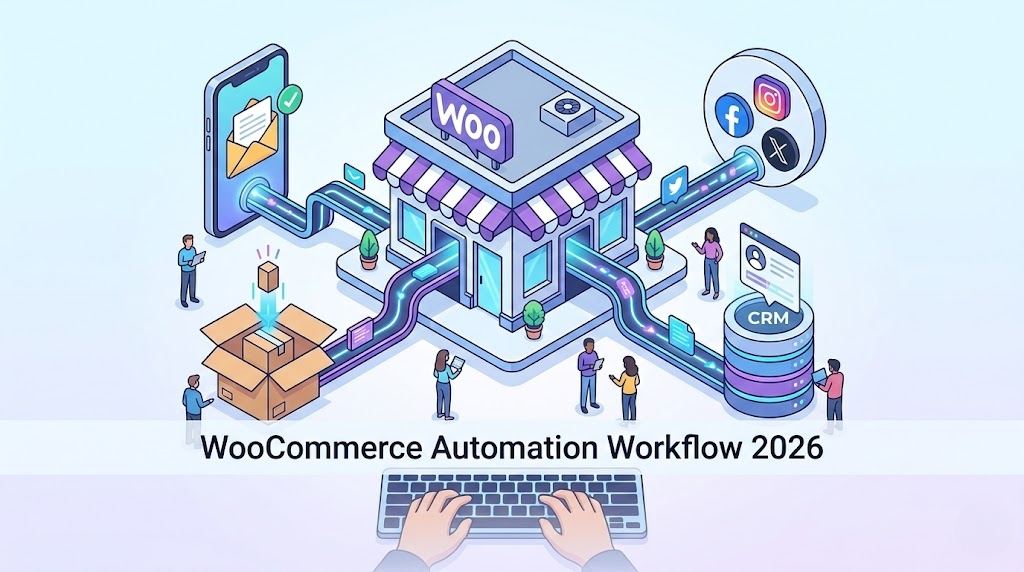
Ready to turn your WooCommerce store into an automated revenue engine? The team at Vision.pk specializes in exactly this. They don’t just install plugins — they design your entire customer journey from first click to repeat purchase. Contact Vision.pk now and let’s build your store the right way.
Automate WordPress to Social Media
Publishing a blog post and then manually sharing it to five different social platforms is one of the most unnecessary time wastes in the digital world. Auto-posting from WordPress to social media should have been your default setup years ago.
Here’s how it works in 2026:
Tools to use:
- Jetpack Social — publish to LinkedIn, Facebook, Instagram automatically the moment you hit “Publish”
- Revive Old Posts — automatically reshare your older content on a rotating schedule, keeping your social feeds active without any effort
- Buffer + Zapier — for more advanced scheduling and multi-platform control
The moment you hit publish, your content is distributed. While you’re writing the next post, the previous one is being promoted. That’s WordPress automation working in real time.
For agencies managing multiple client websites, this kind of auto-posting WordPress setup is an absolute necessity — and Vision.pk configures these systems for agency clients regularly.
Automated Backup and Restore for WordPress
Nobody thinks about backups — until they desperately need one.
Automated backup and restore is one of the most essential and most overlooked aspects of WordPress automation. Here’s the gold standard setup for 2026:
| Tool | Backup Frequency | Storage Location | Restore Speed |
|---|---|---|---|
| UpdraftPlus | Daily / Weekly | Google Drive, Dropbox, S3 | Fast |
| Jetpack VaultPress | Real-time | Jetpack Cloud | Very Fast |
| BlogVault | Daily | BlogVault Cloud | Very Fast |
| ManageWP | Daily | ManageWP Cloud | Fast |
Best practice: Schedule daily backups to at least two separate cloud locations. If your server goes down, your data survives. Set it up once, then forget about it — that’s the beauty of WordPress automation.
WordPress Security Automation
Security is where WordPress automation can literally save your business.
Here’s what a properly automated security setup handles for you — without you lifting a finger:
- Real-time malware scanning (Wordfence, Sucuri)
- Automatic brute-force protection — locking out bad actors before they can cause damage
- Spam filtering via Akismet — keeping your comment sections and forms clean
- Automatic plugin and core updates — patching vulnerabilities before hackers exploit them
- Login attempt monitoring and IP blocking
- Security audit logs — full records of who did what, when
The alternative? Manually checking all of this every single day. Which, realistically, nobody does. Which is exactly why hacked WordPress sites are still tragically common.
WordPress automation removes human error from your security equation. And when Vision.pk sets up your security automation stack, you get a professionally hardened site that’s monitored around the clock.
WordPress Marketing Automation for Agencies
If you’re running a digital agency, WordPress marketing automation is the difference between scaling and burning out.
Here’s the agency automation stack that actually works in 2026:
Client Onboarding Automation:
- New client fills a form → contract generated automatically → onboarding checklist triggered → Slack notification sent to the team
Reporting Automation:
- Google Analytics data → automatically compiled into a monthly report → emailed to the client → logged in your CRM
Content Production Automation:
- Keyword approved → AI draft generated → sent to editor for review → published on schedule → shared to social media
Lead Generation Automation:
- Visitor fills a lead magnet form → tagged in CRM by interest → email nurture sequence triggered → sales team notified when lead reaches “hot” status
This is WordPress marketing automation for agencies at its finest — a system where every task has a trigger, every trigger has an action, and every action moves the business forward.
Vision.pk builds these exact systems for agencies. If you want to serve more clients without more chaos, reach out to Vision.pk now — they’ll build the automation infrastructure your agency needs to scale.
Automating WordPress Membership Sites
Automating WordPress membership sites is a niche but incredibly powerful use case that most membership site owners are completely missing.
Here’s what full automation looks like for a membership site:
- Registration → Role Assignment: When someone purchases a membership, they’re automatically given the correct user role with access to the right content
- Expiry Handling: When a membership expires, access is automatically revoked — no manual intervention needed
- Drip Content: New lessons or modules are automatically unlocked on a schedule
- Renewal Reminders: Automated email sequences go out 7 days, 3 days, and 1 day before expiry
- Failed Payment Recovery: If a payment fails, an automated sequence tries to recover the sale before the membership lapses
Tools like MemberPress + Uncanny Automator make this entire ecosystem tick seamlessly. For course creators, coaches, and subscription box owners — this kind of WordPress automation is what separates hobby sites from real businesses.
How to Automate WordPress Updates Safely
Auto-updates sound scary. And honestly? Done wrong, they can break your site. Done right, they’re one of the smartest things you can automate.
The safe approach to automating WordPress updates:
- Stage first, update second — Use a staging environment (WP Staging or ManageWP) to test updates before they hit your live site
- Automate minor updates — Minor WordPress core updates and security patches are almost always safe to automate
- Schedule major updates — Major version updates should be reviewed and tested manually or by your developer
- Always backup before updating — Trigger an automatic backup immediately before any update runs
- Monitor post-update — Tools like ManageWP can automatically check if your site goes down after an update and roll back if needed
This is where having Vision.pk manage your WordPress site pays dividends. They handle update management as part of their maintenance services — so your site is always secure, never broken.
WordPress CRM Integration Tutorial
Connecting your WordPress site to a CRM is one of the highest-ROI WordPress automation moves you can make. Every lead that lands on your site should be automatically captured, tagged, and entered into a follow-up sequence — not manually logged in a spreadsheet.
Popular WordPress CRM integrations in 2026:
| CRM | WordPress Integration Method | Best For |
|---|---|---|
| HubSpot | Official HubSpot WordPress Plugin | SMBs and agencies |
| FluentCRM | Native WordPress plugin (self-hosted) | Cost-conscious businesses |
| ActiveCampaign | Zapier / SureTriggers / native plugin | E-commerce and marketing |
| Zoho CRM | Zapier / WP Zoho CRM plugin | Enterprises |
| Salesforce | Gravity Forms / Zapier | Large organizations |
Basic WordPress CRM integration workflow:
- Visitor fills your contact or lead magnet form
- Automation trigger fires immediately
- Contact is created in your CRM with name, email, and source URL
- Contact is tagged by the page they came from (e.g., “pricing-page-lead”)
- Email nurture sequence begins automatically
- Sales team gets a Slack notification for high-priority leads
This entire flow can be built with SureTriggers or Uncanny Automator — no developer required. But if you want it done in an afternoon rather than a weekend, Vision.pk’s team will handle the entire WordPress CRM integration for you.
Free WordPress Workflow Automation Tools
Not every powerful tool needs to cost a fortune. Here are the best free WordPress workflow automation tools worth knowing about:
- SureTriggers (Free Plan) — Limited but functional, great for getting started
- Zapier (Free Plan) — 100 tasks/month, connects WordPress to 6,000+ apps
- IFTTT — Simple if-this-then-that automations, surprisingly useful for basic auto-posting WordPress tasks
- Uncanny Automator (Lite) — The free version covers many common single-site automations
- UpdraftPlus (Free) — Solid automated backup solution at zero cost
- Wordfence (Free) — Real-time security automation with the free tier
- Yoast SEO (Free) — Automates sitemaps, schema, and basic technical SEO
These free tools are a great starting point. But if you’re serious about growth, the paid versions — and a professional setup — will pay for themselves quickly.
Uncanny Automator vs Bit Flows: The 2026 Comparison
This is the matchup everyone in the WordPress automation community is talking about in 2026.
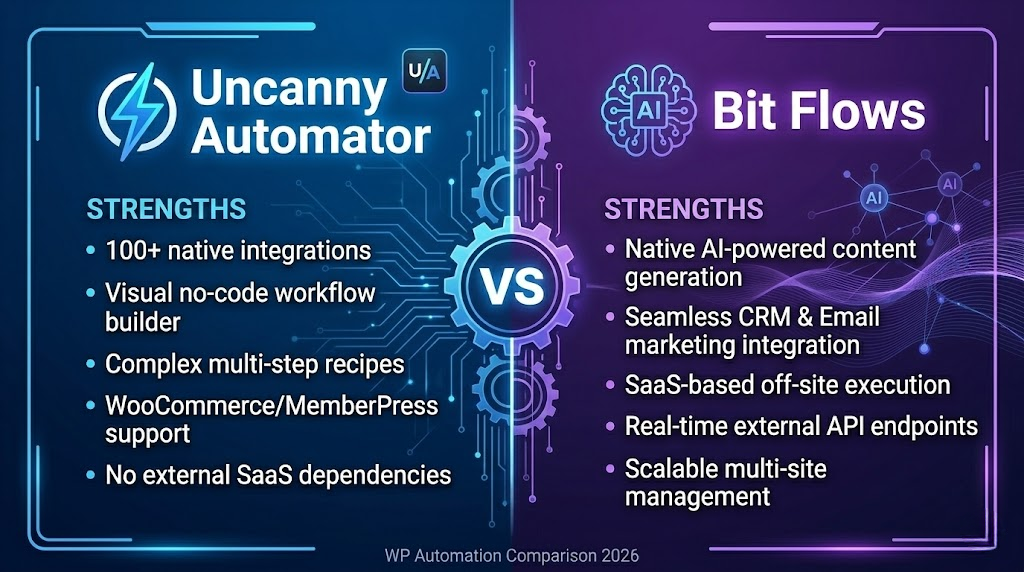
| Feature | Uncanny Automator | Bit Flows |
|---|---|---|
| Plugin integrations | 180+ | Growing (60+) |
| AI agent built-in | ❌ No | ✅ Yes |
| Conditional logic | ✅ Advanced | ✅ Advanced |
| Pricing | $$ Mid-range | $$ Mid-range |
| Ease of use | ⭐⭐⭐⭐ | ⭐⭐⭐⭐⭐ |
| WooCommerce support | ✅ Excellent | ✅ Good |
| Ideal user | Power users, agencies | AI-forward businesses |
| Hosting model | Self-hosted | Self-hosted |
The verdict: If you have a complex existing WordPress ecosystem with many plugins, Uncanny Automator is the safer, more established choice. If you want AI-powered decision-making baked into your WordPress automation workflows, Bit Flows is the future-focused pick.
Can’t decide? This is genuinely one of those “it depends on your business” decisions — and Vision.pk’s team has implemented both. Contact them for a free consultation and they’ll recommend the right tool for your specific setup.
FAQs About WordPress Automation
What is WordPress automation and how does it work?
WordPress automation involves using plugins or third-party tools (like Zapier or Bit Flows) to perform repetitive tasks automatically. When a “trigger” occurs — like a new form submission — an “action” is executed automatically, such as adding that user to your CRM or sending them a welcome email. Think of it as a set of digital rules your website follows without human involvement.
Do I need coding skills to automate my WordPress site?
Not at all. Most modern WordPress automation tools are completely no-code, featuring visual drag-and-drop builders that let you connect apps and plugins without writing a single line of PHP or JavaScript. If you can use a smartphone app, you can build automation workflows.
Can automation improve my site’s SEO?
Absolutely. Plugins like Rank Math and Yoast SEO automate technical SEO tasks including XML sitemap generation, schema markup, and image alt tag optimization. This means your site is continuously optimized in the background — even when you’re not actively working on it.
What are the best plugins for WordPress workflow automation in 2026?
The top contenders are Uncanny Automator, Bit Flows (notable for its native AI agent), FlowMattic, and SureTriggers. Each has its strengths — the best choice depends on your specific site and business needs.
How can I automate my WordPress backups?
Tools like UpdraftPlus or Jetpack VaultPress can be configured to run daily or weekly backups and automatically store them in cloud services like Google Drive or Dropbox. Set it up once, and your data is protected forever.
Can I use AI to automate content creation on WordPress?
Yes — and this is one of the most exciting frontiers of WordPress automation in 2026. Plugins now integrate with OpenAI, Google Gemini, and DeepSeek to generate blog posts, product descriptions, and social media captions directly within your WordPress dashboard.
Is it possible to automate WooCommerce sales funnels?
Yes. Tools like CartFlows automate the customer journey by offering one-click upsells, order bumps, and personalized checkout experiences based on user behavior. This is WooCommerce automation at its most powerful — and most profitable.
How does automation help with WordPress security?
WordPress automation can handle real-time malware scanning, brute-force protection via tools like Wordfence, and automatic patching of core software and plugin vulnerabilities. Security becomes a background process — always running, always protecting.
Will automation slow down my website?
Self-hosted plugins like Uncanny Automator add a slight server load. However, SaaS-based automators like Zapier or SureTriggers run tasks on their own servers, preserving your site’s speed entirely. The right choice depends on your hosting environment.
Can I automate customer support on my WordPress site?
Yes. AI chatbots like the Jotform AI Chatbot can be embedded on your WordPress site to answer visitor questions 24/7 — drawing answers directly from your own content. It’s customer support that never sleeps, never gets tired, and never calls in sick.
The Bottom Line: Start Automating or Start Falling Behind
Here’s the uncomfortable truth: WordPress automation isn’t a competitive advantage anymore. It’s the baseline.
Your competitors are automating their content distribution, their lead nurturing, their customer support, their security, and their sales funnels. If you’re doing those things manually, you’re already behind. And the gap is widening every single month.
But here’s the empowering flip side: it has never been easier to catch up — and overtake.
The tools exist. They’re affordable, accessible, and genuinely powerful. The only missing piece is knowing which automations to prioritize for your specific business, and having someone experienced enough to set them up correctly the first time.
That’s exactly what Vision.pk does.
They’re not just a WordPress development company. They’re a full-service digital partner who understands automation strategy, not just plugin installation. Whether you need a brand-new automated WordPress site built from scratch, or you want your existing site transformed into a hands-free growth machine — Vision.pk has the team, the tools, and the track record to make it happen.
Stop trading time for results. Start building systems that work for you.
🚀 Ready to Automate Your WordPress Site?
Contact Vision.pk Right Now → Get a free consultation with their WordPress automation experts. Tell them what your business needs — they’ll build the system that delivers it.
Don’t wait for the “right time.” The right time is right now. Every day without automation is a day of opportunity you can’t get back.
📌 External Resources
- WordPress.org Plugin Directory — Official source for all WordPress plugins
- Zapier WordPress Integration — Connect WordPress to 6,000+ apps
- WooCommerce Official Documentation — Official WooCommerce guides
- Rank Math SEO Plugin — Industry-leading SEO automation for WordPress
- Uncanny Automator — The most powerful WordPress automation plugin