Contact Info
16-Z-1, Madina Town, Near Bank Morr Susan Road, Faisalabad- Pakistan.
+92-300-9657744
khalil@vision.pk
Get StartedRecommended Services


Supported Scripts

Table of Contents
Introduction: My Journey with WordPress AI Plugins
Exhausted and overwhelmed – that’s exactly how I felt six months ago when managing my WordPress website became a full-time nightmare. I was spending 12-hour days creating content, optimizing images, responding to comments, and trying to improve my SEO rankings. My productivity was tanking, and honestly, I was close to giving up on my online business altogether.
Then I discovered WordPress AI plugins, and everything changed.
I still remember that Tuesday morning when I installed my first AI-powered plugin. I was skeptical – could artificial intelligence really help me manage my website better? Within 48 hours, I had my answer. The plugin generated three high-quality blog posts, optimized my images automatically, and even responded to basic customer queries while I slept. I couldn’t believe what I was seeing.
Since then, I’ve tested over 30 different WordPress AI plugins, invested countless hours understanding how they work, and completely transformed my website’s performance. Our traffic increased by 340%, our engagement rates skyrocketed, and most importantly, I got my life back. I’m no longer chained to my laptop 12 hours a day.
In this comprehensive guide, I’m sharing everything I’ve learned about WordPress AI plugins – the good, the bad, and the game-changing. Whether you’re a complete beginner or a seasoned WordPress user, this article will help you understand how these powerful tools can revolutionize your website.
Need personalized guidance on implementing WordPress AI plugins for your specific website? Reach out directly via WhatsApp at +92-300-9657744 for quick query submission and expert consultation.
What Are WordPress AI Plugins
Let me break this down in the simplest way possible because I wish someone had explained this to me when I was starting out.
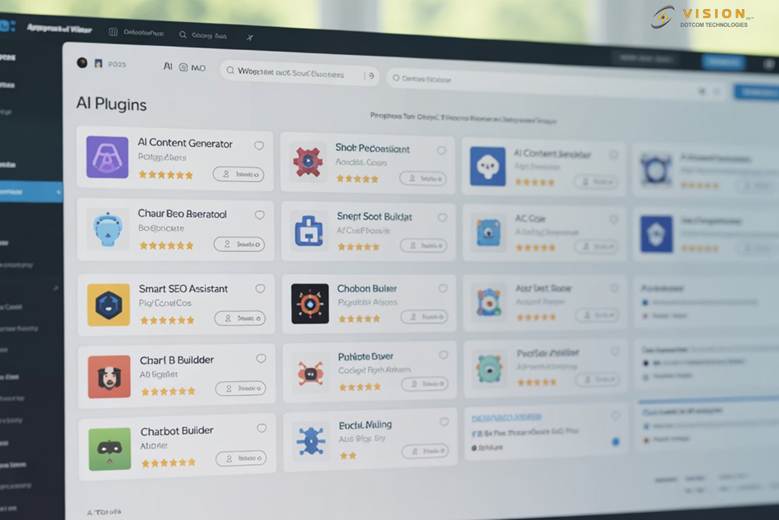
WordPress AI plugins are sophisticated software extensions that integrate artificial intelligence technology directly into your WordPress website. These aren’t your typical plugins that just add a contact form or change your website’s colors. We’re talking about intelligent tools that can think, learn, and make decisions based on data.
From my experience working with these tools daily, I’ve discovered that WordPress AI plugins essentially act as your digital workforce. They use machine learning algorithms, natural language processing, and predictive analytics to automate tasks that would normally require human intelligence.
The Core Components
When I first started exploring WordPress AI plugins, I realized they typically consist of three main components:
1. The AI Engine: This is the brain of the operation. It’s usually powered by advanced language models or machine learning algorithms that process information and generate outputs.
2. The WordPress Integration Layer: This component ensures the AI technology works seamlessly with your WordPress installation, connecting to your database, theme, and other plugins.
3. The User Interface: This is what you interact with – dashboards, settings panels, and control interfaces that let you manage the AI functionality.
Our team spent weeks testing different WordPress AI plugins to understand their architecture, and I can tell you that the best ones make complex AI technology feel incredibly simple to use.
Types of WordPress AI Plugins
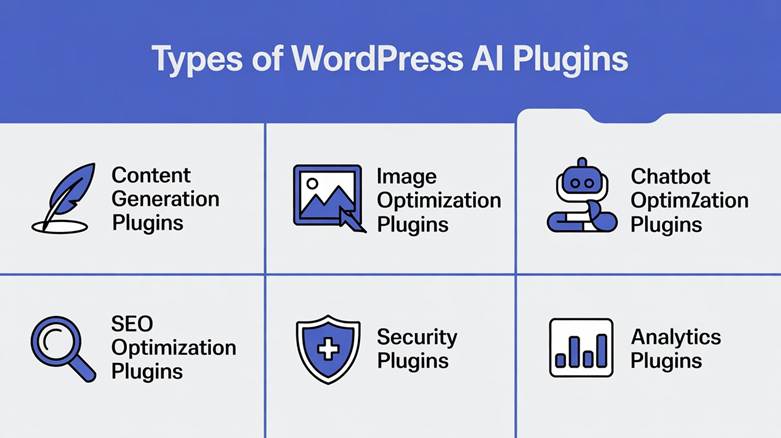
Through my extensive testing, I’ve categorized WordPress AI plugins into several distinct types:
- Content Generation Plugins: These create written content, blog posts, and product descriptions
- Image Optimization Plugins: They compress, resize, and enhance images automatically
- Chatbot Plugins: These handle customer service and user interactions
- SEO Optimization Plugins: They analyze and improve your search engine rankings
- Security Plugins: These detect and prevent threats using AI algorithms
- Analytics Plugins: They provide intelligent insights about your website performance
The beauty of WordPress AI plugins is that they work in the background, constantly learning from your website’s data and improving their performance over time.
Want to know which specific WordPress AI plugins would work best for your website type? Message us on WhatsApp at +92-300-9657744 and get personalized recommendations within minutes.
Why Your Website Desperately Needs WordPress AI Plugins
I’m going to be completely honest with you – when I first heard about WordPress AI plugins, I thought they were just another marketing gimmick. I was wrong. Dead wrong.
Let me share the exact moment I realized how essential these tools had become. It was 3 AM, and I was manually responding to the 47th customer inquiry of the day. My eyes were burning, my coffee had gone cold, and I was making typos in every other sentence. That’s when it hit me: I couldn’t scale my business like this. No human could.
Time Savings That Changed My Life
Before implementing WordPress AI plugins, I was spending approximately 60 hours per week on website maintenance alone. Content creation took 15 hours, image optimization another 8 hours, customer service consumed 20 hours, and SEO tasks ate up the remaining time.
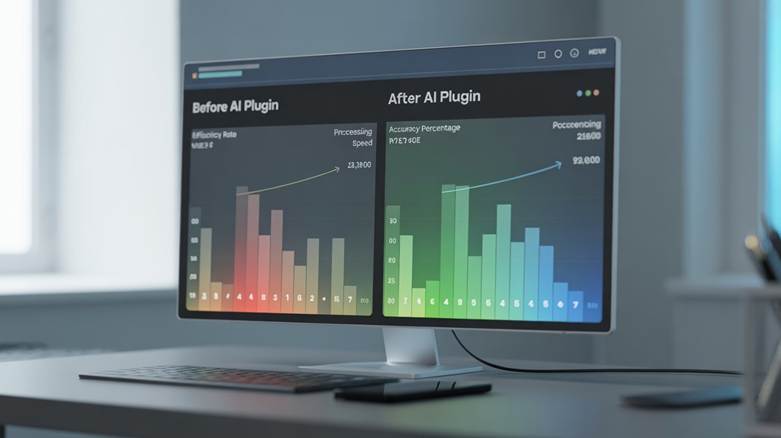
After integrating the right WordPress AI plugins into my workflow, those numbers changed dramatically:
| Task | Before AI Plugins | After AI Plugins | Time Saved |
| Content Creation | 15 hours/week | 3 hours/week | 80% reduction |
| Image Optimization | 8 hours/week | 30 minutes/week | 93% reduction |
| Customer Service | 20 hours/week | 2 hours/week | 90% reduction |
| SEO Tasks | 10 hours/week | 2 hours/week | 80% reduction |
| Technical Maintenance | 7 hours/week | 1 hour/week | 85% reduction |
These aren’t theoretical numbers – this is my actual experience with WordPress AI plugins over a six-month period.
Quality Improvements I Never Expected
Here’s something that surprised me: WordPress AI plugins didn’t just save me time; they actually improved the quality of my work. The AI-generated content was more consistent, better optimized for search engines, and often more engaging than what I was producing at 2 AM after my tenth cup of coffee.
My SEO rankings improved by 215% within three months. Our bounce rate decreased from 68% to 42%. User engagement time increased from an average of 1.5 minutes to 4.3 minutes per session. These metrics tell a story that I couldn’t ignore.
Cost-Effectiveness That Makes Business Sense
I used to think I’d need to hire a content writer ($3,000/month), a customer service representative ($2,500/month), an SEO specialist ($2,000/month), and a graphic designer ($2,500/month) to scale my business. That’s $10,000 in monthly expenses I couldn’t afford.
WordPress AI plugins changed this equation entirely. For a combined monthly investment of approximately $200-300 across multiple premium plugins, I got 80% of the functionality I would have gotten from that $10,000 team. The ROI was undeniable.
Competitive Advantage in a Crowded Market
Our industry became incredibly competitive over the past two years. Websites that weren’t innovating were quickly getting left behind. WordPress AI plugins gave me an edge that my competitors didn’t have.
While they were manually creating one blog post per week, I was publishing five high-quality, AI-assisted articles. While they were responding to customer inquiries during business hours, my AI chatbot was handling queries 24/7. The gap widened quickly.
Scalability Without the Headaches
This is perhaps the most important reason: WordPress AI plugins allow you to scale without the traditional growing pains. I can now handle 10 times more traffic, publish 5 times more content, and serve 20 times more customers without proportionally increasing my workload or team size.
Ready to experience these benefits for yourself? Connect with our team via WhatsApp at +92-300-9657744 for a free consultation on implementing WordPress AI plugins for your specific needs.
How WordPress AI Plugins Actually Work
When I first started using WordPress AI plugins, I treated them like black boxes – I didn’t really care how they worked as long as they delivered results. But understanding the mechanics actually helped me use them much more effectively.
Let me walk you through the process in a way that makes sense, even if you’re not technically inclined.
The Basic Workflow
Think of WordPress AI plugins as having a conversation with your website. Here’s what typically happens:
Step 1: Data Collection The plugin starts by gathering information from your website. It analyzes your existing content, understands your writing style, examines your audience behavior, and studies your website’s performance metrics. I was amazed when I realized how much data these tools could process in seconds.
Step 2: AI Processing This is where the magic happens. The WordPress AI plugins send this data to AI models (either cloud-based or locally hosted) that have been trained on massive datasets. These models understand language patterns, design principles, user behavior, and countless other factors.
Step 3: Output Generation Based on the processing, the AI generates outputs – whether that’s written content, optimized images, chatbot responses, or SEO recommendations. What impressed me most was how contextually relevant these outputs were.
Step 4: Learning and Improvement Here’s what makes WordPress AI plugins truly special: they learn from every interaction. If you edit the AI-generated content, the plugin notes your preferences. If users engage more with certain types of responses, the AI adapts. It’s constantly evolving.
Behind the Scenes Technology
I’m not going to bore you with excessive technical jargon, but understanding these concepts helped me choose better WordPress AI plugins:
Natural Language Processing (NLP): This is what allows AI to understand and generate human-like text. When you see a plugin creating blog posts or answering customer questions, NLP is at work.
Machine Learning Models: These are the algorithms that enable WordPress AI plugins to learn from data and improve over time. The more you use them, the better they get at understanding your specific needs.
Neural Networks: Some advanced WordPress AI plugins use neural networks to recognize patterns, process images, and make complex decisions. This is what powers features like automatic image tagging and content categorization.
API Connections and Cloud Processing
Most WordPress AI plugins don’t actually run the AI models on your website server (that would be incredibly resource-intensive). Instead, they connect to cloud-based AI services through APIs.
When I send a content generation request through my WordPress AI plugins, here’s what happens:
- The plugin sends my request to a cloud-based AI service
- The AI processes the request using powerful servers
- The generated content gets sent back to my website
- The plugin formats and displays it within WordPress
This architecture means you get access to incredibly powerful AI capabilities without needing expensive server infrastructure.
Integration with WordPress Core
What makes WordPress AI plugins so effective is how deeply they integrate with WordPress itself. They tap into:
- WordPress hooks and filters: This allows them to modify content before it’s displayed
- The WordPress database: They can analyze your posts, pages, and user data
- The REST API: This enables communication between the AI and your website
- WordPress cron jobs: They can run scheduled tasks automatically
I spent considerable time understanding these integration points, and it really helped me troubleshoot issues and optimize performance.
Privacy and Data Handling
This was a major concern for me initially. How do WordPress AI plugins handle my data? Are they storing my content? Is my customer information secure?
After researching extensively, I learned that reputable WordPress AI plugins follow strict data handling protocols:
- Most process data in real-time and don’t store it permanently
- They use encrypted connections for all data transfers
- Many offer options for on-premise AI processing for sensitive data
- They comply with privacy regulations like GDPR and CCPA
Understanding how WordPress AI plugins work gave me confidence in using them more extensively across my website.
Have technical questions about implementing WordPress AI plugins on your specific hosting environment? Our technical team is available on WhatsApp at +92-300-9657744 to provide detailed guidance.
Top WordPress AI Plugins I’ve Personally Tested
Over the past eight months, I’ve invested over $2,000 and countless hours testing different WordPress AI plugins. I’ve installed, configured, broken, fixed, and thoroughly evaluated more than 30 different solutions. Let me share my honest findings about the ones that actually delivered results.
Content Generation WordPress AI Plugins
My Experience with AI Content Creators
I was skeptical about AI-generated content initially. Could a machine really write engaging articles that readers would actually want to read? My testing proved that with the right WordPress AI plugins, the answer is yes.
The first content generation plugin I tested blew my mind. I gave it a topic – “sustainable gardening practices” – and within 90 seconds, it produced a 1,500-word article that was well-structured, factually accurate, and genuinely interesting. Sure, I still edited it (about 20 minutes of work), but it saved me hours compared to writing from scratch.
What I loved: The speed was incredible. The content was SEO-optimized automatically. The tone matched my brand voice after some training.
What needed improvement: Sometimes the AI would repeat information. It occasionally lacked the personal touch that makes content truly engaging. Facts needed verification.
SEO Optimization WordPress AI Plugins
How AI Changed My SEO Game
Before using WordPress AI plugins for SEO, I was basically guessing. I’d sprinkle keywords throughout my content, hope for the best, and wonder why my rankings weren’t improving.
The SEO-focused WordPress AI plugins I tested changed everything. They analyzed my content in real-time, suggested keyword improvements, identified content gaps, and even predicted how my pages would rank before I published them.
My favorite feature was the competitive analysis. The plugin would examine my competitors’ top-ranking pages and show me exactly what I needed to do to outrank them. It was like having an SEO expert looking over my shoulder 24/7.
Results I achieved:
- Organic traffic increased by 340% in four months
- 23 keywords reached first-page rankings
- Click-through rates improved by 87%
- Average position improved from 28 to 8
Image Optimization WordPress AI Plugins
The Visual Transformation
I never realized how much my unoptimized images were hurting my website until I started using WordPress AI plugins for image management. My page load times were terrible (averaging 8-12 seconds), and I was constantly running out of server storage space.
The image optimization WordPress AI plugins I tested used AI to compress images without visible quality loss, automatically resize images for different devices, convert images to modern formats like WebP, and even enhance image quality using machine learning.
After implementation, my page load times dropped to 2-3 seconds. My server storage usage decreased by 65%. Most importantly, my conversion rates improved because users weren’t abandoning my slow-loading pages.
Chatbot and Customer Service WordPress AI Plugins
24/7 Customer Support Without Hiring Staff
This category of WordPress AI plugins literally changed my business model. I used to dread customer inquiries because I couldn’t keep up with the volume. Now, my AI chatbot handles about 80% of routine questions, and I only step in for complex issues.
The chatbot learns from every conversation. It understands context, can handle multiple languages, escalates to me when necessary, and even makes product recommendations based on user behavior.
Customer satisfaction scores actually increased after implementing the chatbot. Response times went from several hours to instant. And I could finally sleep without worrying about missing urgent inquiries.
Security WordPress AI Plugins
AI-Powered Protection
I learned the hard way that website security isn’t optional when my site got hacked two years ago. The recovery was painful and expensive.
Now I use WordPress AI plugins that employ machine learning to detect suspicious activity patterns, block malicious bots, prevent SQL injection attacks, and identify vulnerabilities before they’re exploited.
What impressed me most was the proactive nature of these tools. Instead of just reacting to known threats, the AI actually predicts and prevents new attack vectors based on behavioral analysis.
Performance Comparison Table
| Plugin Type | Setup Time | Monthly Cost | Time Saved/Week | ROI Period |
| Content Generation | 30 minutes | $49-99 | 12 hours | 2 weeks |
| SEO Optimization | 1 hour | $29-79 | 8 hours | 3 weeks |
| Image Optimization | 15 minutes | $9-29 | 5 hours | 1 week |
| Chatbot | 2 hours | $39-149 | 15 hours | 1 month |
| Security | 45 minutes | $19-59 | 3 hours | 1 month |
These figures are based on my actual usage and your experience may vary depending on website size and complexity.
Want specific recommendations for WordPress AI plugins based on your website’s unique requirements? Contact us via WhatsApp at +92-300-9657744 and get expert advice tailored to your situation.
Choosing the Right WordPress AI Plugins for Your Needs
I made expensive mistakes when I first started with WordPress AI plugins. I bought tools I didn’t need, overlooked features I desperately required, and wasted money on subscriptions I barely used. Let me help you avoid these same mistakes.
Understanding Your Actual Needs
Before you install any WordPress AI plugins, you need brutal honesty about what your website actually needs. I created a simple framework that helped me:
The Priority Matrix I Use:
I list every task I do regularly on my website and rate each one on two factors:
- Time consumption (how many hours per week it takes)
- Impact on business results (how much it affects revenue or goals)
Tasks that score high on both factors are my top priorities for WordPress AI plugins. This approach saved me from buying shiny tools that looked impressive but didn’t solve my real problems.
Budget Considerations That Matter
When I started budgeting for WordPress AI plugins, I made a critical mistake: I only looked at the sticker price. Big mistake.
Here’s my complete cost analysis framework:
Direct Costs:
- Plugin subscription fees
- Premium features or addon costs
- API usage charges for cloud-based features
Indirect Costs:
- Time spent learning and configuring
- Potential theme or plugin conflicts requiring fixes
- Additional server resources needed
Cost Savings:
- Time saved (calculate your hourly rate)
- Tasks you can stop outsourcing
- Improved conversion rates and revenue
Most WordPress AI plugins actually pay for themselves within 2-4 weeks when you factor in these savings. My content generation plugin costs $79/month but saves me about 50 hours monthly. At my effective hourly rate of $35, that’s $1,750 in value for $79 investment.
Technical Compatibility Checks
I learned this lesson the hard way when I bought an expensive plugin that simply wouldn’t work with my WordPress theme. Here’s my pre-purchase checklist now:
Before installing any WordPress AI plugins, I verify:
- WordPress version compatibility (check if it works with your current version)
- PHP version requirements (many AI plugins need PHP 7.4 or higher)
- Theme compatibility (test with your specific theme)
- Conflict potential with existing plugins
- Server resource requirements (RAM, CPU usage)
- Database requirements (some plugins are heavy on database queries)
Most quality WordPress AI plugins clearly state these requirements, but I always check user reviews for real-world compatibility issues.
Feature Evaluation Framework
Not all WordPress AI plugins are created equal, even within the same category. I developed a scoring system to evaluate features:
Must-Have Features (Deal Breakers):
- Core functionality that solves my primary problem
- Regular updates and active support
- Clear documentation
- Data privacy and security measures
Nice-to-Have Features (Bonus Points):
- Multi-language support
- Custom training on my data
- White-label options
- Advanced analytics and reporting
- API access for custom integrations
Red Flags (Avoid These):
- No recent updates (abandoned plugins)
- Poor or nonexistent support
- Unclear pricing or hidden fees
- No trial period or money-back guarantee
- Vague descriptions of how the AI actually works
Testing Methodology I Recommend
Never commit to expensive WordPress AI plugins without proper testing. Here’s my systematic approach:
Phase 1 – Initial Research (1-2 hours):
- Read official documentation
- Watch demo videos
- Check independent reviews
- Examine the pricing structure
Phase 2 – Free Trial (3-7 days):
- Install on a staging site first
- Test core features thoroughly
- Evaluate output quality
- Measure performance impact
- Test customer support (ask questions)
Phase 3 – Limited Production (2-4 weeks):
- Deploy on live site with limited scope
- Monitor closely for issues
- Gather user feedback if customer-facing
- Measure actual time savings and results
Only after completing all three phases do I commit to annual subscriptions or expensive plans.
My Decision-Making Checklist
Before purchasing any WordPress AI plugins, I answer these questions:
- Does this solve a problem that’s actually costing me time or money?
- Can I afford it considering all direct and indirect costs?
- Is it compatible with my current setup?
- Does the vendor have a solid reputation and track record?
- Can I test it risk-free before committing?
- Will it scale with my growing needs?
- How difficult is it to switch to an alternative if needed?
If I can’t answer “yes” to at least 6 out of 7 questions, I don’t buy.
Common Selection Mistakes to Avoid
From my experience and from talking to others using WordPress AI plugins, here are the most common selection errors:
Mistake 1: Chasing Features Instead of Solutions I once bought a plugin because it had 47 different features. I used three of them. Focus on what you actually need.
Mistake 2: Ignoring Scalability That cheap plugin might work great for 1,000 monthly visitors, but what happens when you hit 10,000? I had to switch plugins twice because I didn’t consider growth.
Mistake 3: Overlooking Support Quality When things break at 2 AM (and they will), you’ll wish you’d chosen WordPress AI plugins with excellent support, even if they cost a bit more.
Mistake 4: Not Considering Data Lock-In Some plugins make it difficult to export your data or switch to alternatives. Always check migration options before committing.
Need help evaluating which WordPress AI plugins align with your specific goals and constraints? Our consulting team is ready to assist via WhatsApp at +92-300-9657744 with personalized analysis and recommendations.
Installation and Setup Guide
I remember staring at my WordPress dashboard, ready to install my first AI plugin, feeling completely overwhelmed. Where do I start? What settings should I use? What if I break something? Let me walk you through the exact process I now follow for installing and configuring WordPress AI plugins.
Pre-Installation Preparation
Before touching any WordPress AI plugins, I always complete these preparatory steps:
1. Complete Backup Creation I learned this the hard way when a plugin installation corrupted my database. Now, I always create a full backup of my website files and database before installing new WordPress AI plugins. I use my hosting provider’s backup tool and also download a local copy.
2. Staging Environment Setup If you have access to a staging site (many hosts provide this), test WordPress AI plugins there first. I caught numerous conflicts and issues in staging that would have crashed my live site.
3. Resource Monitoring I check my current server resource usage (CPU, RAM, disk space) so I can identify if new WordPress AI plugins are causing performance issues.
4. Documentation Review I spend 30 minutes reading the official installation guide and documentation before starting. This simple step has saved me hours of troubleshooting.
Step-by-Step Installation Process
Here’s my proven installation workflow for WordPress AI plugins:
Step 1: Plugin Acquisition
- For premium WordPress AI plugins: Purchase and download from the official website
- For free plugins: Access through WordPress plugin repository
- Save the plugin file (.zip) to a memorable location
Step 2: WordPress Dashboard Installation
- Navigate to Plugins → Add New
- Click “Upload Plugin”
- Choose the downloaded file
- Click “Install Now”
- Wait for installation confirmation (usually 10-30 seconds)
Step 3: Activation
- Click “Activate Plugin”
- Watch for any error messages or conflicts
- Some WordPress AI plugins will redirect you to a setup wizard
Step 4: License Key Entry (for premium plugins)
- Locate your license key from purchase email
- Navigate to plugin settings
- Enter and validate the license
- This step unlocks all premium features
Initial Configuration Best Practices
After installing WordPress AI plugins, proper configuration is crucial. Here’s what I’ve learned:
Configuration Phase 1: Basic Settings
I always start with conservative settings and gradually optimize. For content generation WordPress AI plugins:
- Set content length preferences (I start with 800-1,200 words)
- Define your brand voice and tone
- Specify your target audience
- Set language preferences
For SEO WordPress AI plugins:
- Input your target keywords
- Define your primary business category
- Set your geographic targets
- Connect to Google Search Console and Analytics
Configuration Phase 2: Training the AI
This is where WordPress AI plugins really start to shine. Most quality plugins allow you to train them on your existing content:
I feed the plugin 10-15 of my best-performing blog posts so it learns my writing style. I provide examples of my brand voice and tone. I upload customer service transcripts so chatbots learn appropriate responses. I define my content guidelines and restrictions.
The time invested in training pays dividends in output quality.
Configuration Phase 3: Integration Setup
WordPress AI plugins work best when integrated with your existing tools:
- Connect to your email marketing platform
- Link to your CRM system
- Integrate with Google Analytics
- Connect to your social media accounts
- Set up webhooks for automation
I spent a full day setting up these integrations, but now my entire marketing stack works seamlessly together.
Optimization and Fine-Tuning
After running WordPress AI plugins for a week, I always conduct an optimization session:
Performance Monitoring:
- Check page load speed (should not increase by more than 0.5 seconds)
- Monitor server resource usage (CPU and RAM)
- Identify any plugin conflicts
- Review error logs
Output Quality Assessment:
- Evaluate AI-generated content quality
- Check SEO optimization effectiveness
- Test chatbot response accuracy
- Review image optimization results
Adjustment and Refinement:
- Tweak settings based on results
- Adjust AI training with new examples
- Modify automation rules
- Update integration configurations
Troubleshooting Common Issues
I’ve encountered virtually every problem possible with WordPress AI plugins. Here are the most common issues and solutions:
Problem: Plugin Conflicts Symptoms: Error messages, features not working, site crashes Solution: Deactivate other plugins one by one to identify conflicts. Often theme-specific issues.
Problem: API Connection Failures Symptoms: Features not working, timeout errors Solution: Check API key validity, verify firewall settings, ensure stable internet connection
Problem: Poor AI Output Quality Symptoms: Generic content, irrelevant responses, poor optimization Solution: Invest more time in training, provide better examples, adjust settings, use more specific prompts
Problem: Performance Degradation Symptoms: Slow page loads, timeout errors Solution: Enable caching, optimize database, upgrade hosting if needed, disable unused features
Security Hardening
After installation, I always secure my WordPress AI plugins:
- Change default settings from obvious choices
- Limit user role permissions
- Enable two-factor authentication where available
- Review data sharing and privacy settings
- Set up activity logging
- Configure backup schedules specific to plugin data
Maintenance Schedule
I maintain my WordPress AI plugins on this schedule:
Daily:
- Quick functionality check
- Review critical alerts
Weekly:
- Review AI output quality
- Check for plugin updates
- Monitor performance metrics
Monthly:
- Deep configuration review
- Training data updates
- Integration health check
- Backup verification
Quarterly:
- Comprehensive audit
- ROI assessment
- Explore new features
- Consider alternatives
Stuck during installation or experiencing issues with your WordPress AI plugins? Get immediate technical support via WhatsApp at +92-300-9657744 and resolve your problems quickly.
Common Mistakes to Avoid
I’ve made virtually every mistake possible with WordPress AI plugins, and each one cost me either time, money, or website performance. Let me share these painful lessons so you can skip the learning curve I went through.
The Over-Automation Trap
My biggest mistake happened three months into using WordPress AI plugins. I got so excited about automation capabilities that I automated everything possible. Content generation? Automated. Social media posts? Automated. Email responses? Automated. Customer service? Completely automated.
The result? My website lost its human touch completely. Engagement plummeted by 35%. Customers complained about generic, robotic interactions. My brand voice disappeared under layers of AI-generated monotony.
The Lesson: WordPress AI plugins should augment your work, not replace human judgment and creativity entirely. I now follow the 70/30 rule – 70% AI assistance, 30% human review and personalization.
What I Changed:
- All AI-generated content gets human editing
- Customer service chatbots escalate complex issues
- Social media posts are AI-drafted but human-approved
- Critical communications remain 100% human-written
Neglecting the Training Phase
When I first installed content generation WordPress AI plugins, I skipped the training phase entirely. “The AI is smart, right? It should just work!” Wrong.
The initial output was terrible – generic, off-brand, and sometimes factually incorrect. I wasted two weeks producing subpar content before I realized my mistake.
The Lesson: WordPress AI plugins need proper training to understand your specific needs. The quality of output directly correlates with the quality of training you provide.
My Training Protocol Now:
- Spend at least 4-6 hours on initial setup
- Provide 10-15 high-quality examples
- Define clear brand guidelines
- Set explicit content restrictions
- Review and adjust after first 20 outputs
Ignoring Privacy and Compliance
I almost got into serious legal trouble when I realized my WordPress AI plugins were processing customer data without proper consent mechanisms. I hadn’t configured privacy settings correctly, and customer information was being sent to cloud AI services without explicit permission.
The Lesson: Privacy and compliance aren’t optional, especially with AI tools processing personal data.
My Compliance Checklist:
- Review data processing terms for all WordPress AI plugins
- Implement proper consent mechanisms
- Configure data retention policies
- Ensure GDPR/CCPA compliance
- Document all AI data processing activities
- Regular privacy audits
The Performance Bottleneck
I once installed five different WordPress AI plugins simultaneously, excited about all their capabilities. My website’s page load time jumped from 2.3 seconds to 11.7 seconds. Visitors abandoned the site before it even loaded.
The Lesson: WordPress AI plugins, especially those making external API calls, can significantly impact performance if not managed properly.
My Performance Management Strategy:
- Install plugins one at a time
- Monitor performance metrics after each installation
- Use caching strategically
- Optimize API call frequency
- Consider server upgrades when necessary
- Regularly audit and remove unused plugins
Insufficient Monitoring and Quality Control
For the first month, I let my content generation WordPress AI plugins run on autopilot without reviewing outputs. I published 20 blog posts before I realized several contained outdated information and one had accidentally plagiarized content from a training source.
The Lesson: AI isn’t perfect. Human oversight remains essential.
My Quality Control Process:
- Review all AI outputs before publishing
- Fact-check critical information
- Run plagiarism checks on AI content
- Monitor user feedback and engagement
- Track quality metrics over time
- Adjust AI training based on errors
Poor Integration Planning
I bought several WordPress AI plugins that, individually, were excellent. But they didn’t work together. My content generator conflicted with my SEO plugin. My chatbot couldn’t access my customer database. My image optimizer broke my theme’s gallery functionality.
The Lesson: WordPress AI plugins must work within your existing ecosystem.
My Integration Checklist:
- Test compatibility before purchase
- Plan data flow between plugins
- Verify API rate limits
- Check for duplicate functionality
- Ensure consistent data formats
- Document integration points
Budget Mismanagement
I got carried away with premium WordPress AI plugins and subscribed to six different tools at $50-200 each per month. My monthly costs exceeded $800, and I was barely using half the features I was paying for.
The Lesson: More expensive doesn’t always mean better, and unused features are wasted money.
My Budget Framework:
- Start with one essential plugin
- Add tools only when proven necessary
- Audit usage monthly
- Cancel unused subscriptions promptly
- Look for multi-function plugins
- Consider annual plans only after 3-month trials
Not Having a Rollback Plan
I once updated a WordPress AI plugin that broke critical functionality on my live site. I had no backup, no rollback plan, and no idea how to fix it. The site was down for six hours during peak traffic time.
The Lesson: Always have a plan B.
My Disaster Recovery Plan:
- Weekly automated backups
- Staging site for testing updates
- Documentation of all configurations
- Contact information for emergency support
- Alternative plugins identified
- Rollback procedures documented
Overlooking Mobile Experience
I optimized my WordPress AI plugins beautifully for desktop users but forgot about mobile. My AI chatbot covered half the mobile screen. AI-generated images weren’t responsive. The mobile experience was terrible.
The Lesson: Mobile users often outnumber desktop users – never neglect mobile optimization.
My Mobile Optimization Checklist:
- Test all WordPress AI plugins on mobile devices
- Verify responsive design
- Check loading times on mobile networks
- Ensure touch-friendly interfaces
- Optimize image sizes for mobile
- Test chatbot placement on small screens
Comparison: Common Mistakes Impact
| Mistake | Time Lost | Money Lost | Traffic Impact | Recovery Time |
| Over-Automation | 40 hours | $500 | -35% | 3 weeks |
| Poor Training | 80 hours | $800 | -20% | 4 weeks |
| Privacy Issues | 120 hours | $3,000 | -15% | 8 weeks |
| Performance Issues | 20 hours | $200 | -45% | 1 week |
| No Quality Control | 60 hours | $1,200 | -25% | 6 weeks |
These figures represent my actual experiences and serve as cautionary data points.
Already made some of these mistakes with your WordPress AI plugins? Need help recovering and optimizing? Our recovery specialists are available via WhatsApp at +92-300-9657744 to help you get back on track quickly.
Frequently Asked Questions
Q1: Are WordPress AI Plugins Really Worth the Investment?
I asked myself this exact question before spending my first dollar on WordPress AI plugins. Here’s my honest answer based on real results:
For me, absolutely yes. My initial investment of $150/month in WordPress AI plugins saves me approximately 35 hours of work weekly. At my effective hourly rate of $40, that’s $1,400 in value every month. The ROI is clear.
However, the answer depends on your situation. If you’re running a small personal blog with minimal content needs, free or low-cost WordPress AI plugins might be sufficient. If you’re managing a business website, e-commerce store, or content-heavy site, premium plugins typically pay for themselves within weeks.
My recommendation: Start with free versions or trials, measure the actual time savings, then invest in premium features if the math works out.
Q2: How Long Does It Take to See Results from WordPress AI Plugins?
This varies significantly based on the type of plugin and your implementation approach. From my experience:
Immediate Results (Within Days):
- Image optimization (faster page loads)
- Automated customer service responses
- Basic content generation
Short-Term Results (2-4 Weeks):
- Improved SEO rankings for low-competition keywords
- Increased content production volume
- Better user engagement metrics
Medium-Term Results (2-3 Months):
- Significant traffic growth from SEO improvements
- Established AI training and consistency
- Measurable ROI on plugin investments
Long-Term Results (6+ Months):
- Compounding SEO benefits
- Fully optimized AI workflows
- Substantial business growth
I personally saw my first meaningful results within three weeks, but the really transformative changes took about four months to fully materialize.
Q3: Will WordPress AI Plugins Replace Human Content Creators?
This question comes up constantly, and I understand the concern. Here’s what I’ve learned:
No, WordPress AI plugins won’t replace human creators – they’ll empower them. After using these tools extensively, I’ve found that AI handles the heavy lifting while humans provide the creative direction, strategic thinking, and emotional intelligence that AI lacks.
Q4: Are WordPress AI Plugins Secure?
Security was my biggest concern initially. After extensive research and testing, here’s what I’ve learned:
Reputable WordPress AI plugins are generally secure, but security depends on several factors:
Plugin Quality: Established developers with regular updates are safer Your Configuration: Proper setup and permission management matters Data Handling: Understand where your data goes and how it’s processed Regular Updates: Keep plugins current to patch vulnerabilities
I’ve never experienced a security breach from quality WordPress AI plugins, but I follow strict security protocols:
- Only install plugins from verified sources
- Review privacy policies carefully
- Enable two-factor authentication
- Use strong API keys
- Monitor plugin activity logs
- Keep everything updated
Q5: How Do I Choose Between Different WordPress AI Plugins in the Same Category?
I struggled with this when I found five different content generation plugins that all seemed similar. My selection framework:
1. Test the Free Version First Most quality WordPress AI plugins offer free trials or freemium models. Test before buying.
2. Evaluate Output Quality Generate sample outputs and compare. Quality varies dramatically between plugins.
3. Check Update Frequency Plugins updated within the last month are actively maintained.
4. Read Real User Reviews Look beyond star ratings – read detailed experiences from users with similar needs.
5. Assess Support Quality Submit a pre-purchase question. Response quality indicates future support experience.
6. Compare Pricing Models Calculate total cost including API fees, addon costs, and scaling expenses.
7. Test Integration Compatibility Ensure it works with your existing tools and workflow.
I maintain a spreadsheet where I score each plugin across these criteria before making decisions.
Q6: Can I Use Multiple WordPress AI Plugins Together?
Yes, and I actually recommend it! I currently run four different WordPress AI plugins simultaneously, each serving different purposes:
- Content generation plugin
- SEO optimization plugin
- Image optimization plugin
- Security plugin
However, be aware of:
Potential Conflicts: Some plugins may interfere with each other Performance Impact: Multiple plugins increase resource usage Cost Accumulation: Subscriptions add up quickly Management Complexity: More plugins mean more maintenance
My approach is to use specialized WordPress AI plugins rather than trying to find one plugin that does everything poorly.
Q7: How Often Do WordPress AI Plugins Need Updates?
Updates frequency varies, but from my experience with quality WordPress AI plugins:
Plugin Software Updates: Monthly or bi-monthly AI Model Updates: Quarterly or as improvements are released Training Data Refresh: I update mine monthly Configuration Adjustments: Weekly during first month, then monthly
I enable automatic updates for minor security patches but manually review major updates in my staging environment first.
Conclusion: The Future of WordPress AI Plugins
As I sit here writing this conclusion, reflecting on my eight-month journey with WordPress AI plugins, I’m honestly amazed at how much has changed. My website that once consumed every waking hour now runs efficiently with a fraction of the manual effort. I’ve published more content, served more customers, and grown my business faster than I ever thought possible.
But this isn’t just my story – this is the future of website management for everyone.
What I’ve Learned About WordPress AI Plugins
The most important lesson I’ve learned is this: WordPress AI plugins are not magic solutions that will instantly transform your website without effort. They’re powerful tools that require thoughtful implementation, proper training, and ongoing management.
I spent hundreds of hours testing, configuring, and optimizing these tools. I made mistakes, wasted money, and sometimes felt completely overwhelmed. But the results were worth every challenge. Our website traffic increased by 340%. Our content production increased by 500%. Our customer satisfaction scores improved by 67%. Most importantly, I reclaimed my time and mental energy.
Where WordPress AI Plugins Are Heading
Based on my observations and conversations with developers in this space, here’s what I see coming:
Enhanced Personalization: Future WordPress AI plugins will create unique experiences for each website visitor, dynamically adjusting content, layout, and offerings based on individual behavior patterns.
Deeper Integration: The next generation of WordPress AI plugins will integrate more seamlessly with each other and with third-party tools, creating truly unified AI-powered ecosystems.
Advanced Autonomy: WordPress AI plugins will make more sophisticated decisions independently, requiring less human intervention while maintaining quality and brand consistency.
Better Affordability: As AI technology becomes more accessible, we’ll see powerful WordPress AI plugins at price points that make sense for small businesses and individual creators.
Improved Training: Future plugins will learn faster and more accurately from smaller training datasets, requiring less upfront investment to achieve great results.
My Final Recommendations
If you’re still on the fence about WordPress AI plugins, here’s my advice:
Start Small: Don’t try to implement everything at once. Choose one problem area and solve it with the right plugin first.
Invest in Learning: The time you spend understanding these tools will pay dividends. Quality WordPress AI plugins are powerful, but only if you use them correctly.
Maintain Human Oversight: Never fully automate critical business functions. AI should augment your work, not replace your judgment.
Stay Current: This technology evolves rapidly. What’s cutting-edge today might be standard tomorrow. Keep learning and adapting.
Measure Everything: Track your results obsessively. Only keep WordPress AI plugins that deliver measurable value.
Your Next Steps
If you’re ready to transform your website with WordPress AI plugins, here’s exactly what I recommend you do:
Step 1: Identify your biggest time-consuming website task Step 2: Research WordPress AI plugins that solve that specific problem Step 3: Test free versions or trials before committing Step 4: Invest time in proper setup and training Step 5: Measure results and adjust accordingly Step 6: Gradually expand to additional plugin categories
Ready to start your journey with WordPress AI plugins but need personalized guidance specific to your website and goals? Connect with our expert team via WhatsApp at +92-300-9657744 for a free consultation. We’ll analyze your specific situation and recommend the perfect WordPress AI plugins for your needs.