
Contact Info
16-Z-1, Madina Town, Near Bank Morr Susan Road, Faisalabad- Pakistan.
+92-300-9657744
khalil@vision.pk
Get StartedRecommended Services


Supported Scripts
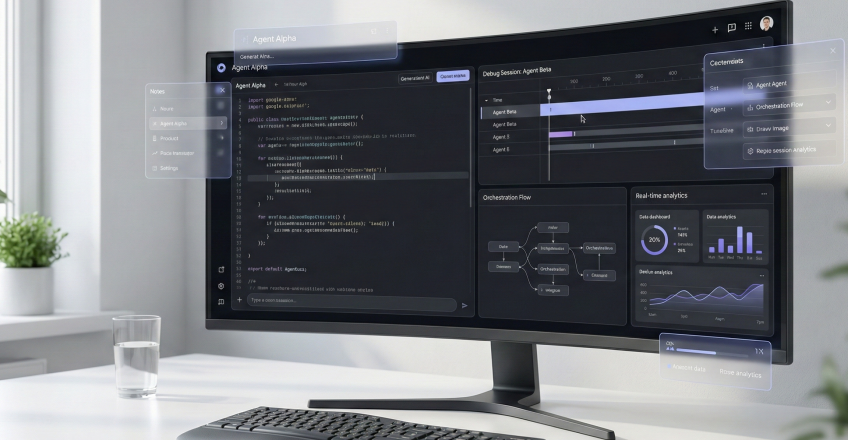

Table of Contents
Look, I’ll be straight with you—when I first heard about antigravity, I thought someone was pulling my leg. Another AI coding tool? Really? But then I actually tried Google’s new IDE, and honestly, it felt like stepping into a coding dimension where gravity doesn’t apply to productivity limits.
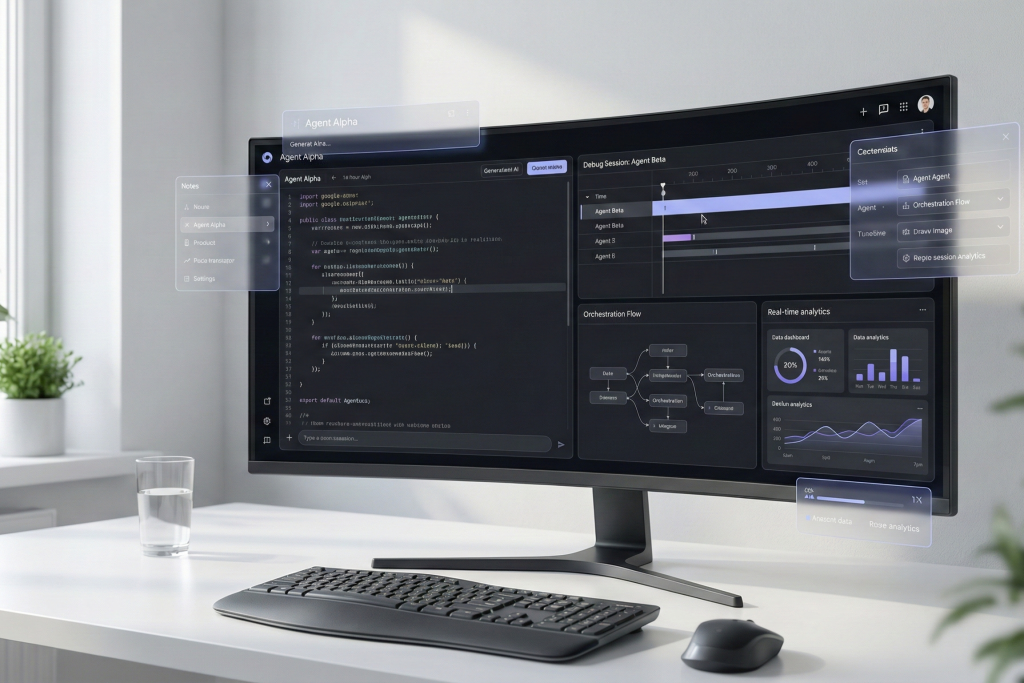
You know that feeling when you’re juggling fifteen browser tabs, three terminal windows, and your code editor—all while trying to remember what you were actually building? Yeah, this platform just made that chaos obsolete. And if you’re running a factory, managing an online store, or freelancing your way through WordPress development projects, this isn’t just another tool. It’s a fundamental shift in how we approach software creation.
What Makes This IDE Different? The Agent-First Revolution
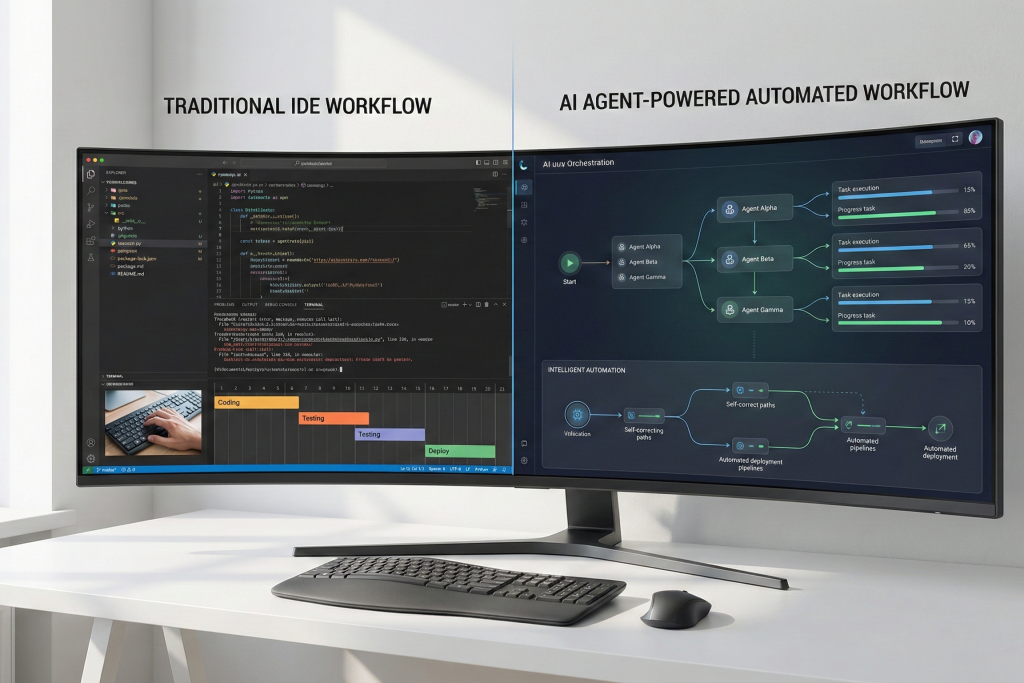
Here’s where things break the mold entirely. Traditional IDEs like VS Code? They’re great—I’ve spent countless hours in them. But they’re essentially fancy text editors with plugins. Google’s antigravity agent-first approach flips that script completely.
Think of it this way: VS Code gives you tools. This platform gives you a team.
The Core Distinction
Instead of you writing every line of code, autonomous agents plan, execute, and verify tasks. It’s like having junior developers who never sleep, never complain about deadlines, and actually learn from their mistakes in real-time.
Key differences that matter:
- Autonomous planning: Agents don’t just complete tasks—they strategize the approach
- Cross-surface orchestration: Your agents work across code editor, browser, and terminal simultaneously
- Built-in verification: Every change gets reviewed before it touches your codebase
- Natural language control: Tell the system what you want in plain English; no arcane commands needed
I remember building a WordPress e-commerce site last month. Normally, that’s a week-long grind. With this tool, I described the requirements conversationally, and agents handled the boilerplate, database schemas, and even API integrations while I focused on business logic and design decisions.
The Gemini 3 Advantage: Why This Model Changes Everything
Now, let’s talk about what’s powering this beast. The platform runs on Google’s latest Gemini 3 model, and folks, this isn’t your 2023-era AI assistant.
Gemini 3 brings something special—contextual reasoning that actually understands software architecture. When I ask it to “add user authentication with social logins,” it doesn’t just generate code. It considers security implications, database relationships, frontend state management, and error handling. All of it.
What Gemini 3 Does Better
The integration means:
- Advanced reasoning: Understands why you’re building something, not just what
- Code generation quality: Production-ready code, not tutorial examples
- Multi-file comprehension: Tracks dependencies across your entire project
- Adaptive learning: Gets better at understanding your coding style over time
For WordPress developers especially (and I know there are tons of you out there), the system understands the WordPress ecosystem deeply. Custom post types, hooks, filters, plugin architecture—Gemini 3 gets it all without you explaining WordPress basics every single time.
Agent-First Architecture Explained: Your Digital Development Team
Here’s where the antigravity concept gets really interesting. Instead of one AI assistant, you get multiple specialized agents working in concert.
The Agent Manager View
The Agent Manager View is your mission control. From here, you can:
- Monitor multiple agents: See what each agent is working on in real-time
- Batch task assignments: Queue up multiple features simultaneously
- Workflow orchestration: Define dependencies between tasks
- Performance tracking: Understand which agents excel at which tasks
It’s like running a software agency, except your team consists of tireless AI agents and the platform is the project management system.
| Agent Type | Primary Function | Best Use Cases | Speed Rating |
|---|
| Code Generator | Write new functions and classes | Feature development, API creation | ⚡⚡⚡⚡ |
| Refactoring Agent | Improve existing code | Technical debt reduction, optimization | ⚡⚡⚡ |
| Testing Agent | Write and execute tests | Quality assurance, edge case discovery | ⚡⚡⚡⚡ |
| Documentation Agent | Generate docs and comments | Knowledge transfer, onboarding | ⚡⚡⚡⚡⚡ |
| Browser Automation Agent | UI testing, web scraping | E-commerce testing, data collection | ⚡⚡⚡ |
How Agents Communicate
What makes the system truly special is agent coordination. When you assign a complex task—say, building a complete admin dashboard for a Shopify app—agents automatically divide responsibilities.
One agent handles backend APIs. Another builds frontend components. A third writes integration tests. A fourth documents everything. They share context, avoid conflicts, and actually collaborate.
I’ve watched this happen, and honestly? It’s mesmerizing and slightly unsettling how well it works.
Browser Automation Magic: Where Things Get Supernatural
Google’s browser automation capability is—and I’m choosing this word carefully—witchcraft.
Remember when testing meant manually clicking through your application, filling forms, checking responsive designs across devices? This platform automates all of that through its Browser Automation Module.
What You Can Do
Browser automation isn’t a separate tool you reluctantly learn. It’s native:
- Interactive debugging: Watch agents navigate your application in real-time
- Visual regression testing: Automated screenshot comparisons catch UI breaks
- User flow validation: Agents can simulate customer journeys through your site
- Data extraction: Need competitor pricing? Agent scrapes it while you grab coffee
For online store builders (which many of you are), this is game-changing. Set up an agent to test checkout flows across payment methods, shipping options, and discount scenarios. The system runs hundreds of test cases while you’re working on something else—or sleeping.
The Screenshot Artifact System
Here’s a clever feature: code verification includes visual artifacts. When an agent makes UI changes, it automatically captures before/after screenshots. You review changes visually, not just through code diffs.
This saved my bacon last week. An agent updated CSS for mobile responsiveness, and the screenshot immediately showed it broke the desktop navigation. Caught and fixed before deployment.
Multi-Model Flexibility: Freedom to Choose Your AI Brain
Not every task needs the same AI model, right? The platform gets this. While it’s powered by Gemini 3, you can switch between different models based on what you’re building.
Available Models
- Gemini 3 Pro: Default choice for most tasks. Excellent reasoning, strong code generation, best for complex architecture
- Claude Sonnet 4.5: When you need different reasoning patterns or specific code styles
- GPT-OSS: Open-source option for tasks where you want full transparency
The AI model switcher lives right in the interface. Mid-project, you can say “switch to Claude for this component” and agents adapt instantly.
When to Use Which Model
From my experience with the antigravity platform, here’s what works:
- Gemini 3: WordPress development, e-commerce platforms, full-stack applications
- Claude Sonnet 4.5: Data processing scripts, API documentation, creative coding solutions
- GPT-OSS: Learning projects, open-source contributions, experimental features
| Task Type | Gemini 3 | Claude Sonnet 4.5 | GPT-OSS | Recommendation |
|---|---|---|---|---|
| WordPress Plugin Development | ⭐⭐⭐⭐⭐⭐ | ⭐⭐⭐⭐⭐⭐⭐ | ⭐⭐⭐⭐⭐⭐ | Gemini 3 |
| React Component Creation | ⭐⭐⭐⭐⭐⭐⭐ | ⭐⭐⭐⭐⭐⭐⭐ | ⭐⭐⭐⭐⭐⭐⭐ | Either Gemini 3 or Claude |
| Database Schema Design | ⭐⭐⭐⭐⭐⭐ | ⭐⭐⭐⭐⭐⭐⭐ | ⭐⭐⭐⭐⭐⭐ | Gemini 3 |
| Technical Documentation | ⭐⭐⭐⭐⭐⭐ | ⭐⭐⭐⭐⭐⭐⭐⭐ | ⭐⭐⭐⭐⭐ | Claude Sonnet 4.5 |
| API Integration | ⭐⭐⭐⭐⭐⭐⭐ | ⭐⭐⭐⭐⭐⭐⭐⭐ | ⭐⭐⭐⭐⭐ | Gemini 3 |
Enterprise-Grade Security: Because Your Code Matters
I know what you’re thinking: “This sounds great, but can I trust this platform with proprietary code?”
Fair question. Google takes security seriously—enterprise-level seriously.
Security Features
- Code privacy: Your code stays yours. The system doesn’t train on your private repositories
- Access controls: Granular permissions for team members
- Audit logging: Complete visibility into agent actions
- Compliance ready: Meets enterprise security standards
For factory owners managing industrial automation code or freelancers handling client projects, these safeguards matter. The platform provides peace of mind without sacrificing capability.
The async feedback system also helps here. When agents suggest changes, you review them asynchronously. Nothing commits without your approval, maintaining human oversight over autonomous actions.
Real-World Applications: How Different Professionals Use This Tool
Let me break down how antigravity serves different audiences, because this tool isn’t one-size-fits-all.
For Businessmen and Factory Owners
You’re not coders by trade, but you need custom software solutions. The platform bridges that gap:
- Inventory management systems: Describe your workflow, let agents build the application
- Production dashboards: Real-time monitoring interfaces created through natural language requests
- Integration projects: Connect existing systems without hiring a full dev team
A factory owner I know used the system to build a custom quality control tracking system. No coding knowledge required—just clear descriptions of what needed tracking, and agents handled the rest.
For E-Commerce Builders and Shopify Partners
You need domain expertise and technical execution. The tool delivers both:
- Custom Shopify apps: Agents understand Shopify API patterns and best practices
- WordPress WooCommerce extensions: Native comprehension of WordPress development standards
- Store migration tools: Automated scripts for moving between platforms
The automation particularly shines for repetitive e-commerce tasks—product imports, bulk pricing updates, inventory synchronization across channels.
For Freelancers Who Need Domains and Development
You’re juggling multiple clients, tight deadlines, and diverse technical requirements. This becomes your force multiplier:
- Rapid prototyping: Show clients working demos faster
- Multi-project management: Agents work on different client projects simultaneously
- Code consistency: Maintain quality across varied projects
For Developers and Tech Enthusiasts
You want to push boundaries and explore new possibilities:
- Experimental architectures: Test bleeding-edge patterns safely
- Learning accelerator: Understand unfamiliar frameworks through agent collaboration
- Open-source contributions: Speed up pull request creation with confident code generation
The multi-agent orchestration capability means you can explore multiple solution approaches simultaneously—something impossible in traditional environments.
Getting Started Guide: From Zero to Productive in 30 Minutes
Alright, enough theory. Let’s get you actually using the platform.
Installation and Setup
Free access is straightforward:
- Visit the official site and sign in with your Google account
- Choose your primary programming languages and frameworks
- Configure which models you want available (Gemini 3 comes default)
- Connect your GitHub or GitLab repositories (optional but recommended)
The installation process takes maybe five minutes. No complex configurations, no dependency hell—just works.
Your First Agent Task
Start simple with autocompletion commands:
- Open a new project or existing repository
- In the command palette, type what you want in natural language: “Create a user authentication system with email and password”
- Watch the Agent Manager View populate with subtasks
- Review the proposed architecture
- Approve and let agents work
The agent manager tutorial recommends starting with small, contained tasks before jumping into complex projects. Trust me on this—you’ll want to learn the verification workflow before deploying agents on mission-critical code.
Verification Best Practices
Verification mechanisms are your safety net:
- Always review artifact screenshots before accepting UI changes
- Run test suites after significant refactoring
- Check external resource links in generated documentation
- Validate database migrations in staging environments first
The artifact verification system makes this painless. Everything’s visual, organized, and clear.
WordPress Development with This Platform: A Match Made in Digital Heaven
Now, here’s where things get personal—and where I need to talk about why antigravity is absolutely perfect for WordPress development, especially if you’re considering professional WordPress services.
Why WordPress + This IDE = Magic
WordPress powers over 40% of the web, but let’s be honest—building custom WordPress solutions can be tedious. Theme development, plugin creation, custom post types, taxonomy management, hooks, filters… it’s a lot.
The Gemini 3-powered system understands WordPress intimately:
- Theme scaffolding: Generate complete responsive themes from design descriptions
- Plugin architecture: Build plugins with proper WordPress standards and security
- WooCommerce extensions: Create custom checkout flows, payment gateways, shipping calculators
- Block editor development: Modern Gutenberg block creation without drowning in React
- Performance optimization: Agents identify and fix common WordPress performance issues
Vision.pk: Your AI-Powered WordPress Partner
Look, I’ve been talking about antigravity capabilities this whole article, but here’s the reality: tools are amazing, but execution matters more.
Vision.pk combines the revolutionary power of this IDE with deep WordPress expertise to deliver development services that simply weren’t possible before. Whether you’re a businessman needing a corporate site, a factory owner requiring a custom B2B portal, or an entrepreneur launching an online store—Vision.pk leverages AI automation to build faster, better, and more reliably than traditional development approaches.
What makes Vision.pk’s WordPress development different:
- Speed without sacrifice: AI agents handle boilerplate, allowing human expertise to focus on business logic and user experience
- Transparent development: You can actually see agent progress through the manager view
- Cost efficiency: Reduced development time means better pricing for clients
- Quality assurance: Built-in code verification catches issues before deployment
- Ongoing support: Agents assist with updates, maintenance, and feature additions
Real Client Success Stories
A Lahore-based textile manufacturer needed a B2B ordering portal with complex pricing rules based on order volume, shipping zones, and customer categories. Traditional development quoted 8 weeks and substantial cost.
Using the antigravity platform combined with Vision.pk’s WordPress expertise, the project delivered in 3 weeks with all requested features, plus automated testing coverage the client didn’t even request. The browser automation meant every pricing scenario got validated automatically.
WordPress Services Beyond Just Code
Vision.pk offers comprehensive WordPress solutions powered by AI-assisted development:
- Custom theme development: Unique, performance-optimized designs that reflect your brand
- Plugin creation: Solve specific business problems with tailored functionality
- E-commerce stores: Full WooCommerce setup with payment integration, inventory management, and shipping logistics
- Migration services: Move from other platforms to WordPress seamlessly
- Performance optimization: Speed up existing WordPress sites using AI-discovered optimizations
- Security hardening: Protect your investment with proper WordPress security practices
For Shopify partners who need domains and hosting alongside development, Vision.pk provides complete package solutions. Your clients get domain registration, managed WordPress hosting, AI-built custom features, and ongoing support—all from one reliable source.
Why This Matters for Your Business
Whether you’re a freelancer looking to scale your client work, a tech enthusiast building your online presence, or a business owner who needs a solid web platform—WordPress development enhanced by antigravity removes traditional limitations.
You’re not just getting a website. You’re getting a digital asset built with the latest AI-assisted development technology, maintained by experts who understand both the tool and the ecosystem.
Visit Vision.pk to discuss your WordPress project. Let’s explore how the platform can transform your web presence from concept to reality faster than you imagined possible.
Platform vs. Traditional IDEs: The Comprehensive Breakdown
Let’s get analytical for a moment with the agentic coding comparison. How does this tool actually stack up against what you already know?
| Feature | This Platform | VS Code | Cursor IDE | IntelliJ IDEA |
|---|---|---|---|---|
| AI Integration | Native agent-first | ✅ Extensions | Native Extensions | ✅ Extensions |
| Autonomous Coding | ⭐⭐⭐⭐⭐⭐⭐⭐⭐⭐⭐⭐ | Browser Automation | Requires setup | Limited/Plugin-based |
| Multi-Agent Orchestration | ⭐⭐⭐⭐⭐ | ❌ | ❌ | ❌ |
| Model Flexibility | 3+ models | Varies | 1–2 models | Varies |
| Verification System | Integrated | Manual | Basic | Manual |
| Learning Curve | Medium | Low | Medium | High |
| Cost | Free tier available | Free | Paid | Paid |
| WordPress Support | Excellent | Good | Good | Good |
The debate boils down to this: Cursor gives you an AI pair programmer. Antigravity gives you an AI development team.
Advanced Features: Level Up Your Workflow
Once you’re comfortable with basics, the platform gets even more powerful.
Cross-Interface Agentic Operations
Cross-interface operations mean your agents work across:
- Code editor: Writing and refactoring
- Integrated terminal: Running commands and scripts
- Browser automation: Testing and validation
- Documentation system: Updating docs in real-time
All simultaneously. All coordinated.
I’ve had agents writing backend API code, running database migrations in terminal, testing endpoints through browser automation, and updating API documentation—all from one task description. That’s the multi-agent orchestration advantage.
Async Feedback and Iterative Improvement
The async feedback system enables a unique development pattern:
- Assign tasks and continue working on something else
- Agents complete tasks and submit for review
- You provide feedback asynchronously (like code review comments)
- Agents iterate based on feedback
- Repeat until satisfied
This workflow matches how actual development teams operate—async, documented, iterative.
[Insert image: Async feedback interface showing comment threads – Alt text: “antigravity async feedback system interface for code review”]
Natural Language Command Power
Autocompletion commands go beyond simple code completion:
- “Add error handling to all API calls in this module”
- “Refactor this class to use composition instead of inheritance”
- “Create integration tests for the checkout process”
- “Optimize these database queries for performance”
The AI-powered system understands intent, context, and best practices for your tech stack.
Frequently Asked Questions About Antigravity
What is Google Antigravity AI IDE?
Google Antigravity AI IDE is an agent-first integrated development environment that uses autonomous AI agents to plan, execute, and verify coding tasks. Unlike traditional IDEs that provide coding assistance, this platform deploys multiple specialized agents that work collaboratively across your codebase, browser, and terminal environments.
How does this differ from traditional IDEs (like VS Code)?
While VS Code and similar tools are essentially advanced text editors with AI extensions, antigravity is built from the ground up as an agentic platform. Traditional IDEs assist you in writing code; this system has agents that write, test, and verify code autonomously while you focus on architecture and business logic. The multi-agent orchestration capability sets it fundamentally apart.
What models are supported?
The platform supports multiple AI models including Gemini 3 Pro (default), Claude Sonnet 4.5, and GPT-OSS. The AI model switcher allows you to change models mid-project based on specific task requirements, giving you flexibility in how different agents approach problems.
Is Google Antigravity IDE free to use?
Yes, free access is available with a generous free tier. This includes access to Gemini 3 models, basic agent orchestration, and core features. Enterprise plans with additional security, priority support, and extended capabilities are available for businesses and teams.
Can agents plan and execute tasks autonomously?
Absolutely. This is the core strength of the agent-first approach. When you describe a task in natural language, agents automatically break it into subtasks, determine optimal execution order, handle dependencies, and work toward completion. You maintain oversight through the Agent Manager View and verification system.
How is verification and code review handled?
The code verification system uses a multi-layer approach: automated tests, visual artifact comparison (screenshots for UI changes), code diff reviews, and runtime validation. The artifact verification system presents all changes in an organized, visual manner for human approval before any code commits.
How does browser automation work?
Browser automation is integrated directly into the IDE. Agents can launch browsers, navigate websites, interact with UI elements, capture screenshots, extract data, and run automated tests—all without separate tooling. This is particularly powerful for testing e-commerce flows or scraping competitive data.
Can I switch between different AI models?
Yes, the switching process is seamless. Through the interface, you can assign different models to different agents or change models for specific tasks. This flexibility lets you leverage each model’s strengths—Gemini 3 for complex reasoning, Claude for documentation, GPT-OSS for open-source work.
What is Agent Manager View and how is it used?
Agent Manager View is your mission control for agentic workflows. It displays all active agents, their current tasks, progress status, and interdependencies. You can batch-assign tasks, monitor performance, review completed work, and orchestrate complex multi-agent workflows from this centralized dashboard. The agent manager tutorial covers this comprehensively.
Is this safe for enterprise software development?
Yes. The platform for enterprise developers includes robust security features: code privacy guarantees, granular access controls, comprehensive audit logging, and compliance with enterprise security standards. The verification system ensures human oversight remains in the loop, preventing autonomous agents from making unchecked changes to production code.
AI Coding Tips and Tricks: Pro Strategies
Want to maximize the platform? Here are strategies I’ve developed through hundreds of hours using this system.
Optimize Your Task Descriptions
AI coding starts with how you communicate:
- Be specific about outcomes, not implementation: “Create a user profile page with editable fields, avatar upload, and activity history” beats “Make a profile component”
- Mention constraints upfront: “Using WordPress hooks and no external dependencies” saves iteration cycles
- Reference existing patterns: “Follow the same authentication pattern used in the admin module”
Leverage Agent Specialization
Don’t assign all tasks to one agent. Agent orchestration works best when you:
- Use Code Generator agents for new features
- Deploy Testing agents simultaneously for QA
- Assign Documentation agents to run parallel to development
- Let Browser Automation agents handle all UI validation
Master the Verification Workflow
Verification mechanisms are your quality gate:
- First pass: Quick visual scan of artifacts
- Second pass: Review code diffs for architectural concerns
- Third pass: Run automated tests in staging
- Fourth pass: Manual testing of critical paths
Never skip verification steps, even when you trust the agents. I learned this the hard way.
Use Async Feedback Strategically
The async feedback system shines when you:
- Provide specific, actionable feedback: “Extract this logic into a separate service class” vs. “Refactor this”
- Link to relevant documentation or examples
- Use the threading feature to track feedback resolution
- Batch similar feedback across multiple agents
Combine Internal and External Resources
The platform works beautifully when you:
- Link to your coding standards documentation
- Reference your design system or component library
- Add external resources like API documentation
- Include example code from your repository
The agents learn your patterns faster with good reference material.
The Future of Development: Where This Points Us
I’m watching antigravity evolve, and honestly, it’s becoming clear that this represents a fundamental shift in how software gets built.
The Agentic Development Era
Agentic platform approaches aren’t replacing developers—they’re augmenting what we can accomplish. The Gemini 3-powered system demonstrates that AI agents working autonomously within guardrails achieve outcomes impossible for solo developers.
We’re moving from:
- Writing every line ourselves → Orchestrating agents who write code
- Sequential development → Parallel agent-driven workflows
- Manual testing → Automated verification systems
- Siloed tools → Integrated cross-interface platforms
What This Means for Your Career
Whether you’re a businessman, developer, freelancer, or tech enthusiast—this tool changes your capability ceiling:
- Faster prototyping means you can explore more ideas
- Reduced grunt work frees time for creative problem-solving
- Higher quality baselines through automated testing and verification
- Expanded tech stacks as agents handle unfamiliar frameworks
For WordPress developers specifically, and Vision.pk exemplifies this, the platform transforms what’s possible in client delivery. Complex custom platforms that once took months now deliver in weeks with better quality and documentation.
Taking Action: Your Next Steps
Alright, we’ve covered a lot. Here’s how you actually get started:
Immediate Actions
- Create your account: Visit the official site and sign up with your Google credentials
- Complete the tutorial: The codelab walkthrough takes 20 minutes and covers essentials
- Start small: Pick a simple project or feature to test the workflow
- Join the community: The Community Forum on Reddit connects you with other developers
For WordPress Projects Specifically
If you’re building on WordPress, consider professional support:
- Assess your needs: What custom functionality does your business require?
- Consult with experts: Vision.pk offers free project assessments for WordPress development
- Leverage AI advantages: Faster delivery, better testing, comprehensive documentation
- Focus on your business: Let AI-enhanced development handle technical execution
Continuous Learning Resources
- Official documentation: Official Help Portal
- Model comparisons: Evaluation & benchmark tools help you understand when to use which AI model
- Feature roadmap: The Roadmap shows upcoming capabilities
- Plugin ecosystem: AI Plugin Hub extends agent capabilities
Conclusion: Welcome to Development Without Gravity
Here’s what I want you to take away from this deep dive into antigravity:
Software development is experiencing a fundamental transformation. Google’s new IDE isn’t just another coding tool—it’s a glimpse into how we’ll all be building software in the near future. The agent-first architecture, powered by Gemini 3 and flexible model choices, removes traditional productivity constraints.
For businessmen who need software but lack coding expertise, the platform makes custom solutions accessible. For factory owners requiring specialized industrial systems, agentic development approaches deliver faster. For e-commerce builders and Shopify partners, browser automation streamlines testing and validation. For developers and freelancers, multi-agent orchestration capabilities multiply your effective capacity.
And for WordPress development specifically—whether you’re building your own sites or need professional services—the combination of Gemini 3 capabilities with expert implementation (like what Vision.pk provides) delivers results that simply weren’t possible before.
The name “antigravity” is fitting. This IDE removes the gravitational pull of tedious coding tasks, allowing you to float above the mundane and focus on what matters: building great software that solves real problems.
So here’s my challenge to you: Don’t just read about this revolutionary platform. Try it. Start with one project. See how autonomous agents change your workflow. Experience verification systems that catch mistakes before they matter. Watch browser automation test your application while you work on something else.
The future of development has arrived, and it’s agent-driven, verification-first, and honestly? It’s pretty damn exciting.
Ready to experience AI-powered WordPress development? Visit Vision.pk today and let’s discuss how we can transform your web project from concept to reality using Google’s revolutionary IDE. Get your free project assessment now.
Related Resources: