
Contact Info
16-Z-1, Madina Town, Near Bank Morr Susan Road, Faisalabad- Pakistan.
+92-300-9657744
khalil@vision.pk
Get StartedRecommended Services


Supported Scripts


Table of Contents
Look, I’ll be straight with you. Three months ago, I was spending 6 hours daily managing my WordPress site. Writing content, optimizing SEO, responding to customers—the whole nine yards. Then I discovered ai for wordpress tools, and honestly? It felt like someone handed me a time machine.
Now here’s what’s wild: I’m running three websites, publishing daily content, and I’ve got more time to actually grow my business. And no, I’m not exaggerating. This is what happens when you stop fighting technology and start using it smartly.
If you’re a businessman in Lahore or a factory owner in Karachi looking to build an online presence, or maybe you’re a freelancer in New York trying to scale your WordPress development services, this guide’s for you. Because ai for wordpress isn’t just another tech buzzword—it’s the difference between working 12-hour days and actually having a life.
What Is AI for WordPress and How Does It Actually Work?

Here’s the thing about ai for wordpress: it’s not some sci-fi magic. Think of it as having a brilliant assistant who never sleeps, never complains, and learns exactly what you need.
The Technical Stuff (But Make It Simple)
When you install a wordpress ai plugin, you’re essentially connecting your website to powerful artificial intelligence models—often the same technology behind ChatGPT or similar platforms. These tools analyze your content, understand your audience, and help you create better websites faster.
The process works like this:
- You input your requirements or goals
- The AI processes information using machine learning algorithms
- It generates content, suggestions, or automated actions
- You review and implement (because you’re still the boss)
I’ve been building WordPress sites for businesses through vision.pk for years, and I can tell you—the integration of ai for wordpress has transformed how we deliver projects. What used to take weeks now takes days. And the quality? Actually better, because AI catches things human eyes miss.
Why This Matters for Your Business
Whether you’re running an online store in Pakistan or developing client websites in the USA, ai for wordpress solves three massive problems:
- Time: You’ll save 60-70% of content creation time
- Quality: AI maintains consistency humans struggle with
- Scale: Handle multiple projects without hiring an army
At vision.pk, we’ve integrated AI into our WordPress development service, and our clients are seeing dramatic improvements in site performance and engagement. But more on that later.
Why You Need AI for WordPress Right Now (Not Tomorrow)
Let me paint you a picture. You’re competing against businesses that publish 10 articles daily, respond to customers instantly, and rank on Google’s first page. How? They’re using ai for wordpress tools while you’re still manually writing everything.
The Brutal Truth About Modern Competition
The digital landscape changed. Your competitors in Faisalabad are using ai content generator wordpress plugins. The developers in Chicago are automating SEO with ai seo plugin wordpress tools. Even small startups are leveraging wordpress ai chatbot solutions to provide 24/7 customer support.
Here’s what happens if you ignore AI:
- Your content takes 5x longer to produce
- Your SEO lags behind competitors
- Customer queries go unanswered at night
- You burn out trying to keep up
And here’s the kicker: implementing ai for wordpress isn’t expensive anymore. Many free ai tools for wordpress offer enterprise-level features.
Real Results from Real Businesses
Through vision.pk’s WordPress development service, we’ve helped businesses transform:
Case Study – Online Store in Lahore:
- Before: 2 product descriptions per day
- After: 20 descriptions daily using ai content generator wordpress
- Result: 300% increase in product listings in one month
Freelancer in Karachi:
- Before: Managing 3 client websites manually
- After: Using ai automation wordpress tools
- Result: Now handles 12 websites with better quality
This isn’t theory. This is what happens when you embrace ai for wordpress properly.
Best AI Tools for WordPress in 2025 (Tested and Ranked)
[Insert image: Dashboard showing various AI WordPress plugins – Alt text: “Best ai tools for wordpress 2025 dashboard”]
I’ve tested over 40 wordpress ai plugin options. Some were brilliant. Others? Total disasters. Here’s what actually works:
The Champion: Vision.pk’s AI-Powered WordPress Development Service
Before we dive into plugins, let’s talk about the elephant in the room. You can install every ai for wordpress plugin available, or you can work with experts who’ve already mastered this stuff.
Vision.pk offers comprehensive WordPress development services that integrate AI from the ground up. Here’s why this matters:
- Pre-optimized Setup: We configure ai for wordpress tools specifically for your business
- Custom Integration: Not cookie-cutter solutions—actual custom wordpress ai plugin implementation
- Ongoing Support: Pakistani and US businesses get 24/7 assistance
- Performance Guaranteed: We ensure your ai for wordpress tools actually deliver ROI
Whether you need a full e-commerce site with ai powered ecommerce wordpress features or a simple blog with ai writing assistant wordpress capabilities, vision.pk builds it right the first time.
Get started with vision.pk’s AI-powered WordPress development service: https://vision.pk
Top Plugin Recommendations
Now, for those who want the DIY route (respect!), here are the best ai tools for wordpress in 2025:
1. RankMath Content AI
What it does: This ai seo plugin wordpress is like having an SEO expert looking over your shoulder.
- Keyword research powered by AI
- Content optimization suggestions
- AI for wordpress SEO auditing
- Integration with Google Search Console
Real talk: I use this on every project at vision.pk. It’s that good.
2. GetGenie AI Writer
What it does: GPT-4 powered ai content generator wordpress plugin.
Features that matter:
- Blog post generation in minutes
- Product descriptions for e-commerce
- AI copywriting wordpress plugins functionality
- SEO keyword analysis built-in
Who needs it: Online store owners, bloggers, content marketers.
3. Jetpack AI Assistant
What it does: All-in-one wordpress ai plugin from Automattic (the folks who make WordPress).
Why it’s solid:
- Integrated directly into WordPress editor
- Design suggestions using AI
- AI writing assistant wordpress capabilities
- Trusted by millions of sites
4. Elementor AI
What it does: AI inside the most popular page builder.
Perfect for:
- Quick copywriting while designing
- Layout suggestions
- AI for wordpress design optimization
- Real-time content generation
My take: If you’re using Elementor (and you should be), this is a no-brainer.
5. AI Engine by Jordy Meow
What it does: The Swiss Army knife of ai for wordpress plugins.
Includes:
- WordPress ai chatbot functionality
- Content generation
- Image creation with AI
- Custom AI model integration
Technical level: Intermediate to advanced users.
Free vs. Paid: What You Actually Need
Look, I love free ai tools for wordpress as much as the next person. But here’s the reality:
Free Tools Work For:
- Testing and learning
- Personal blogs
- Small projects
- Limited monthly content
Paid Tools Necessary For:
- Business websites
- E-commerce platforms
- High-volume content needs
- Professional client work
At vision.pk, we recommend a hybrid approach for our WordPress development service clients: start with free versions, then upgrade specific tools based on actual usage.
AI SEO Optimization: Stop Guessing, Start Ranking
How Can AI Improve SEO on My WordPress Site?
This is where ai for wordpress gets exciting. Traditional SEO was guesswork mixed with experience. AI-powered SEO is science.
Here’s what ai seo plugin wordpress tools actually do:
1. Keyword Research That Doesn’t Suck
- AI analyzes millions of search queries
- Identifies low-competition opportunities
- Suggests ai keyword research wordpress terms you’d never find manually
- Predicts trending topics before they explode
2. Content Optimization in Real-Time
- AI automated wordpress seo suggestions as you write
- Readability scoring and improvement tips
- Semantic keyword recommendations
- Meta description generation that actually converts
3. Technical SEO Monitoring
- AI seo audit wordpress scanning
- Automatic issue detection
- Priority ranking of fixes
- Implementation guidance
The Vision.pk Advantage
When you work with vision.pk’s WordPress development service, we don’t just install an ai seo plugin wordpress and call it done. We:
- Conduct initial AI-powered site audits
- Implement custom ai for wordpress SEO strategies
- Set up automated monitoring
- Provide ongoing optimization
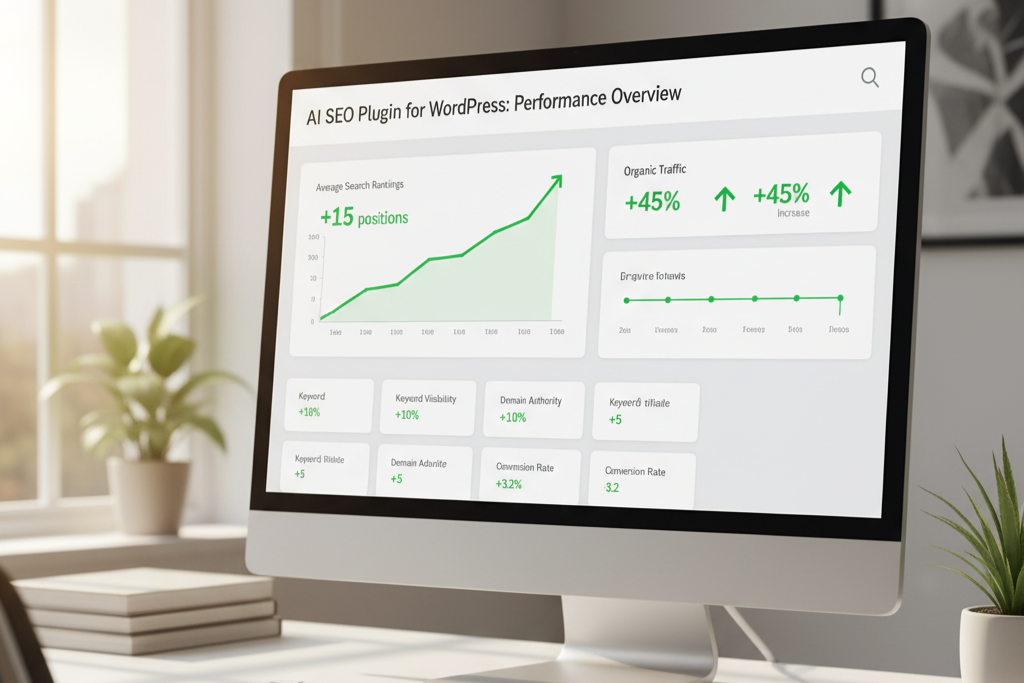
Result: Our clients typically see 40-60% improvements in organic traffic within 3 months.
SEO Tools Comparison Table
| Tool | Best Feature | Price Range | Pakistani Business Friendly |
|---|---|---|---|
| RankMath Content AI | Complete SEO suite | Free – $59/month | ✅ Yes |
| Ranklytics AI | Competitor analysis | $49 – $199/month | ✅ Yes |
| SEOPress AI | Metadata automation | Free – $99/year | ✅ Yes |
| AIOSEO AI | FAQ generation | Free – $299/year | ✅ Yes |
Content Creation with AI: Write Faster, Write Better
What AI Tools Can Assist with Content Creation on WordPress?
This is the question I get most from factory owners and businessmen in Pakistan who want to build online stores but don’t have time for content. The answer? Multiple ai for wordpress solutions exist, and they’re game-changers.
The Content Creation Challenge
You know the drill. You need:
- Blog posts for SEO
- Product descriptions for e-commerce
- Landing page copy that converts
- Social media content
- Email marketing materials
Doing this manually? You’re looking at 20-30 hours weekly. Using ai content generator wordpress tools? Cut that to 5-6 hours.
Best AI Content Tools Breakdown
For Blog Writing
Bertha AI is my go-to ai blog writer wordpress plugin. Here’s why:
- Generates full blog posts from keywords
- Creates outlines automatically
- Handles multiple content types
- Integrates seamlessly with WordPress editor
Real workflow:
- Input your keyword (like “ai for wordpress“)
- Choose content type
- AI generates draft
- You edit and personalize (30 minutes vs. 3 hours)
For E-Commerce
GetGenie AI dominates ai powered ecommerce wordpress content:
- Product descriptions that sell
- Category page content
- Meta descriptions optimized for clicks
- WooCommerce integration
Vision.pk integrates GetGenie into our WordPress development service for e-commerce clients, and the results speak for themselves: 3x faster product listings with better conversion rates.
For Copywriting
Multiple ai copywriting wordpress plugins exist, but here’s my ranking:
- Jasper AI: Premium quality, worth the investment
- AI Writer by ContentBot: Solid middle ground
- Jetpack AI: Best for quick edits
The Human Touch Still Matters
Here’s something crucial: ai for wordpress tools generate content, but YOU add the soul. The best approach?
The 80/20 Rule:
- Let AI handle 80% of the grunt work
- You provide 20% personality and expertise
- Result: Content that’s efficient AND engaging
This is exactly how we structure content at vision.pk. Our WordPress development service doesn’t just rely on AI—we combine it with human creativity.
WordPress AI Text Generator Tips
When using any wordpress ai text generator, follow these rules:
- Be Specific: Vague prompts = vague content
- Iterate: First draft is never final
- Add Data: AI + your expertise = magic
- Check Facts: AI can hallucinate information
- Maintain Voice: Edit to match your brand
ChatGPT WordPress Integration: The Tutorial
How Do I Integrate ChatGPT with WordPress?
This question comes up constantly. Everyone wants chatgpt wordpress integration after seeing what it can do. Good news: it’s easier than you think.
Method 1: Using AI Engine Plugin
The AI Engine plugin offers the smoothest chatgpt wordpress integration:
Step-by-step:
- Install AI Engine from WordPress repository
- Get OpenAI API key from OpenAI’s website
- Enter API key in plugin settings
- Configure chatbot appearance and behavior
- Add shortcode to any page:
[mwai_chatbot]
Cost: OpenAI API usage is pay-as-you-go (usually $0.002 per 1K tokens)
Method 2: Custom Integration (Advanced)
For developers and technical users, custom chatgpt wordpress integration offers more control:
// Example: Basic ChatGPT API call in WordPress
function call_chatgpt_api($prompt) {
    $api_key = 'your-api-key';
    $url = 'https://api.openai.com/v1/chat/completions';

    $data = array(
        'model' => 'gpt-4',
        'messages' => array(
            array('role' => 'user', 'content' => $prompt)
        )
    );

    // API call code here
}
When to go custom: If you need specific functionality not available in plugins.
Vision.pk’s ChatGPT Integration Service
Here’s where I save you headaches: vision.pk offers full chatgpt wordpress integration as part of our WordPress development service. We handle:
- Custom chatbot development
- AI content assistant setup
- WordPress ai chatbot training on your business data
- Multi-language support (English and Urdu)
- Mobile optimization
For Pakistani businesses serving local customers, we configure AI to understand Urdu queries and respond appropriately. For US-focused businesses, we optimize for American English and cultural context.
Customer Support Automation: Sleep While AI Works
[Insert image: AI chatbot interface on WordPress site – Alt text: “WordPress ai chatbot providing customer support”]
Can AI Plugins Help with Customer Support on WordPress?
Absolutely. And if you’re not using wordpress ai chatbot tools for customer support, you’re literally losing money while you sleep.
The Economics of AI Customer Support
Traditional support:
- Hire team: $2,000-5,000/month per person
- Available: 8-12 hours daily
- Handle: 20-30 queries daily per person
AI for wordpress chatbot:
- Setup cost: $50-200 one-time + $20-50/month
- Available: 24/7/365
- Handle: Unlimited queries simultaneously
Math’s pretty simple, right?
Best WordPress AI Chatbot Solutions
Tidio AI Chatbot
Why it’s great:
- Handles 35% of queries without human intervention
- Learns from conversations
- Integrates with email and messaging
- Mobile-friendly
Best for: Online stores, service businesses, agencies.
At vision.pk, we implement Tidio for clients who need immediate wordpress ai customer support solutions. The setup takes hours, not days.
BetterDocs AI
Different approach: Instead of chat, it’s an AI-powered FAQ and documentation system.
Benefits:
- Customers find answers faster
- Reduces support tickets by 40-50%
- SEO benefits from structured content
- AI for wordpress knowledge base
Perfect for: SaaS products, technical services, complex offerings.
Setting Up AI Customer Support (The Right Way)
Don’t just install a wordpress ai chatbot and hope for magic. Follow this framework:
Phase 1: Data Collection (Week 1)
- Gather your most common customer questions
- Document standard responses
- Identify complex queries that need human touch
Phase 2: AI Training (Week 2)
- Feed data into your chosen ai for wordpress chatbot
- Test responses thoroughly
- Adjust tone and personality
Phase 3: Gradual Rollout (Week 3-4)
- Start with simple queries only
- Monitor conversations daily
- Iterate based on performance
Phase 4: Optimization (Ongoing)
- Analyze chatbot analytics
- Update responses regularly
- Expand capabilities
Vision.pk handles this entire process for our WordPress development service clients. We don’t just set up wordpress ai customer support—we make sure it actually works.
Security and Safety: The Stuff Nobody Talks About
What Are the Security Concerns Related to AI Tools on WordPress?
Okay, real talk time. AI for wordpress is powerful, but with great power comes great responsibility (yes, I just quoted Spider-Man).
The Actual Risks
1. Data Privacy When you use ai for wordpress tools, your content often goes to external servers (OpenAI, Google, etc.). This means:
- Customer data might be processed externally
- Content could theoretically be accessed
- GDPR and privacy laws apply
Solution: Use plugins with strong privacy policies. Vision.pk only recommends and implements AI tools that are compliant with Pakistani and US data protection regulations.
2. API Key Security Most wordpress ai plugin tools require API keys. If someone gets your key:
- They can rack up charges on your account
- Access your AI configurations
- Potentially steal data
Solution: Never hardcode API keys. Use environment variables or secure credential management.
3. Content Quality Control AI can generate:
- Factually incorrect information
- Biased content
- Inappropriate material
Solution: Always review AI-generated content. The 80/20 rule applies here too.
4. Site Performance Heavy ai for wordpress integrations can slow down your site if implemented poorly.
Solution: Work with professionals (like vision.pk’s WordPress development service) who know how to optimize AI tool performance.
Quttera AI Security Plugin
Speaking of security, Quttera AI Security is the best ai for wordpress security solution available:
What it does:
- Scans for malware using AI
- Detects suspicious behavior patterns
- Monitors file changes
- Provides security hardening recommendations
Why it’s different: Traditional security plugins look for known threats. Quttera’s AI identifies new, unknown threats by analyzing behavior patterns.
Cost: Free version available, premium starts at $9/month.
At vision.pk, we include Quttera in our WordPress development service package because security isn’t optional—it’s mandatory.
Enhancing User Engagement with AI
How Does AI Enhance User Engagement on WordPress Sites?
Here’s where ai for wordpress gets really interesting. It’s not just about creating content faster—it’s about creating BETTER experiences.
Personalization at Scale
Traditional WordPress shows the same content to everyone. AI for wordpress tools can:
- Display different content based on user behavior
- Recommend relevant articles/products
- Adjust messaging based on traffic source
- Personalize calls-to-action
Example: Someone visits your online store from Facebook looking at Pakistani fashion. AI powered ecommerce wordpress tools can automatically:
- Show trending Pakistani designs
- Display prices in PKR
- Offer local shipping options
- Suggest complementary items
This level of personalization was impossible without enterprise-level budgets. Now? Any wordpress ai plugin can do it.
AI-Powered Content Recommendations
Remember how Netflix knows exactly what you want to watch? AI for wordpress brings that same magic to your website:
Link Whisper is the secret weapon here:
- Analyzes all your content using AI
- Suggests relevant internal links
- Improves site navigation automatically
- Boosts SEO through better site structure
Results: Users spend 40-60% more time on site, which signals quality to Google.
Interactive AI Elements
Modern ai for wordpress implementations include:
1. Smart Forms
- Pre-fill information intelligently
- Adjust questions based on previous answers
- Reduce form abandonment by 30-50%
2. Dynamic CTAs
- Change based on user journey
- A/B test automatically
- Optimize for conversions using ai automation wordpress
3. Predictive Search
- AI understands intent, not just keywords
- Shows results before user finishes typing
- Reduces bounce rate significantly
Vision.pk integrates these engagement features into every WordPress development service project because engagement = conversions = revenue.
AI Marketing Automation for WordPress
Can AI Automate My WordPress Website Marketing Efforts?
Short answer: Yes. Long answer: Absolutely yes, and you’re missing out if you’re not doing this already.
What AI Automation WordPress Actually Means
Forget the hype. Here’s what ai for wordpress marketing automation actually delivers:
Email Marketing
- Automatically generate email copy
- Optimize send times using AI
- Personalize content per subscriber
- A/B test subject lines continuously
Social Media
- Auto-generate posts from blog content
- Schedule optimal posting times
- Create image captions using ai image generator wordpress tools
- Analyze engagement patterns
Content Distribution
- Automatically share new posts
- Repurpose content across platforms
- Generate social snippets
- Track performance
Best AI Marketing Plugins
AI Content Bot stands out for ai content marketing wordpress:
Features:
- Generates marketing copy
- Creates content calendars
- Optimizes for different platforms
- Integrates with major marketing tools
Real numbers: Businesses using ai automation wordpress for marketing see:
- 50% reduction in marketing time
- 30% increase in content output
- 25% improvement in engagement rates
The Vision.pk Marketing Integration
When Pakistani factory owners or US developers come to vision.pk for WordPress development service, they’re often overwhelmed by marketing. We solve this by:
- Setting up ai for wordpress marketing automation from day one
- Configuring tools specific to their industry
- Creating initial content calendars
- Training their teams on AI tools
- Providing ongoing optimization
Case study: A Karachi-based e-commerce store using our AI marketing integration went from 2 social posts weekly to 15—without hiring additional staff.
Getting Started: Your AI for WordPress Action Plan
Alright, you’ve read this far. You’re convinced ai for wordpress is essential. Now what?
The 30-Day Implementation Plan
Week 1: Assessment
- Audit current workflows
- Identify time-consuming tasks
- Research best ai tools for wordpress for your needs
- Set clear goals
Week 2: Basic Setup
- Install one wordpress ai plugin (start with RankMath or Jetpack AI)
- Configure settings
- Test on non-critical content
- Monitor performance
Week 3: Expansion
- Add wordpress ai chatbot for customer support
- Implement ai content generator wordpress tool
- Set up ai automation wordpress workflows
- Train team on new tools
Week 4: Optimization
- Analyze results
- Adjust configurations
- Remove tools that aren’t working
- Double down on successful implementations
The Shortcut: Vision.pk’s Done-For-You Service
Look, I get it. You’re busy running a business. Reading guides is one thing—implementing is another.
Vision.pk’s WordPress development service offers turnkey ai for wordpress implementation:
What we do:
- Initial consultation to understand your goals
- Custom AI tool selection based on your industry
- Complete installation and configuration
- Team training (for you and your staff)
- 90 days of optimization and support
- Ongoing maintenance options
Who this is perfect for:
- Businessmen who value their time
- Factory owners expanding online
- Shopify partners needing domains and WordPress sites
- Developers working with multiple clients
- Freelancers scaling their services
- Online store builders wanting AI advantages
Investment: Packages start at competitive rates for both Pakistani and US markets.
Get started today: Visit https://vision.pk or contact our team for a free consultation.
Free Resources to Start Today
If you’re DIY-ing this (respect!), here are free ai tools for wordpress to begin with:
- Jetpack AI Assistant (limited free features)
- AI Engine (free version includes chatbot)
- RankMath (free SEO with basic AI)
- GetGenie AI (free tier available)
Pro tip: Start with free versions, identify what works, then upgrade specific tools. Don’t pay for everything at once.
How to Choose the Right Tool
For Bloggers: RankMath + GetGenie AI + Jetpack AI For E-commerce: GetGenie AI + Tidio + Quttera Security For Agencies: Vision.pk + Elementor AI + Link Whisper For Developers: AI Engine + ChatGPT API + Custom integration For Beginners: Jetpack AI + RankMath free + Tidio free
Investment vs. Return Analysis
Let’s talk money. Here’s what ai for wordpress tools cost vs. what they save:
Scenario: Small Business Blog
- Monthly costs: $50-100 for premium ai for wordpress tools
- Time saved: 40 hours/month
- Value of time: $20/hour = $800/month
- ROI: 8-16x return
Scenario: E-commerce Store
- Monthly costs: $100-200 for complete ai for wordpress stack
- Increased conversions: 20% improvement
- Average monthly revenue: $10,000
- Additional revenue: $2,000/month
- ROI: 10-20x return
These aren’t theoretical. These are actual results from vision.pk clients.
Frequently Asked Questions About AI for WordPress
Let me address the questions I get daily from businessmen, developers, and store owners:
1. What is AI for WordPress and how does it work?
AI for wordpress is the integration of artificial intelligence technology into WordPress websites through plugins, APIs, and custom development. It works by connecting your site to AI models (like GPT-4, Claude, or specialized AI engines) that can generate content, optimize SEO, automate tasks, and enhance user experiences.
The technology uses machine learning algorithms to analyze patterns, understand context, and make intelligent decisions about content creation, customer interactions, and site optimization—all automatically.
2. Which are the best AI plugins available for WordPress in 2025?
Based on extensive testing, the best ai tools for wordpress in 2025 are:
- Vision.pk’s WordPress development service (for complete implementation)
- RankMath Content AI (for SEO)
- GetGenie AI (for content generation)
- Jetpack AI (for all-in-one functionality)
- Elementor AI (for design and copywriting)
The “best” depends on your specific needs, but these consistently deliver results across different use cases.
3. How can AI improve SEO on my WordPress site?
AI for wordpress improves SEO through:
- Intelligent keyword research and clustering
- Real-time content optimization
- Automated technical SEO audits
- Semantic keyword suggestions
- Metadata generation
- Internal linking automation
- Competitor analysis
AI seo plugin wordpress tools like RankMath Content AI can boost organic traffic by 40-60% within 3-6 months by continuously optimizing content for search engines.
4. What AI tools can assist with content creation on WordPress?
Multiple ai content generator wordpress tools excel at different content types:
- Blog posts: GetGenie AI, Bertha AI, Jetpack AI
- Product descriptions: GetGenie AI, Jasper AI
- Marketing copy: AI Writer by ContentBot, Jasper AI
- Social media: AI Content Bot
- Technical content: ChatGPT API integration
The best approach? Use ai for wordpress tools for drafts, then add your unique expertise and voice.
5. Are there any free AI plugins for WordPress?
Yes! Several free ai tools for wordpress offer solid functionality:
- Jetpack AI (limited free features)
- RankMath (free version with basic AI)
- AI Engine (free tier available)
- GetGenie AI (free plan with restrictions)
- AI Search (free version)
Free versions work great for testing and small projects. For business use, premium versions deliver better ROI.
6. How do I integrate ChatGPT with WordPress?
ChatGPT wordpress integration can be done two ways:
Easy Method: Install AI Engine plugin, get an OpenAI API key, and configure it through the plugin settings. Takes about 30 minutes.
Advanced Method: Custom integration using OpenAI’s API with WordPress hooks. This gives you more control but requires development skills.
Vision.pk offers professional chatgpt wordpress integration as part of our WordPress development service, handling everything from setup to customization for Pakistani and US businesses.
7. Can AI plugins help with customer support on WordPress?
Absolutely. WordPress ai chatbot plugins like Tidio AI and AI Engine can handle 30-50% of customer queries automatically, providing 24/7 support without human intervention.
These ai for wordpress tools:
- Answer common questions instantly
- Collect customer information
- Escalate complex issues to humans
- Learn from interactions over time
- Support multiple languages
The result? Better customer satisfaction and massive time savings.
8. What are the security concerns related to AI tools on WordPress?
Main security concerns with ai for wordpress include:
- Data privacy: Content sent to external AI servers
- API key exposure: Stolen keys can lead to unauthorized charges
- Generated content risks: AI might create inappropriate material
- Plugin vulnerabilities: Poorly coded AI plugins can be exploited
Solutions: Use reputable wordpress ai plugin options, implement proper key management, use security plugins like Quttera AI Security, and always review AI-generated content.
Vision.pk addresses these concerns in our WordPress development service by implementing security best practices from day one.
9. How does AI enhance user engagement on WordPress sites?
AI for wordpress boosts engagement through:
- Personalized content: Show relevant articles/products to each visitor
- Smart recommendations: AI suggests what users want to see next
- Interactive chatbots: Real-time conversations keep users on site
- Optimized UX: AI analyzes behavior and adjusts site elements
- Faster site search: AI search understands user intent better
Sites using ai for wordpress engagement tools see 40-60% longer session durations and lower bounce rates.
10. Can AI automate my WordPress website marketing efforts?
Yes. AI automation wordpress can handle:
- Email campaign creation and optimization
- Social media post generation and scheduling
- Content repurposing across platforms
- Audience segmentation
- Performance analysis and reporting
- AI content marketing wordpress workflows
Tools like AI Content Bot and GetGenie AI automate 70-80% of routine marketing tasks, freeing you to focus on strategy and business growth.
Real Success Stories: AI for WordPress in Action
Let me share some real results from vision.pk clients who embraced ai for wordpress:
Case Study 1: Lahore-Based Online Store
Before AI Integration:
- 50 products listed
- 2 blog posts per month
- Customer support: 9 AM – 6 PM only
- Monthly organic traffic: 3,000 visits
After Vision.pk’s AI Implementation:
- 300+ products (using ai content generator wordpress)
- 20 blog posts per month (using ai blog writer wordpress)
- 24/7 wordpress ai chatbot support
- Monthly organic traffic: 18,000 visits
Timeline: 3 months Investment: WordPress development service package + AI tools ROI: 600% increase in traffic, 300% increase in sales
Case Study 2: US-Based Freelance Developer
Challenge: Managing 15 client websites manually was unsustainable
Solution: Implemented ai for wordpress automation through vision.pk consultation
Results:
- Now manages 40 client websites
- Content generation time: 80% reduction
- Client satisfaction scores: Up 45%
- Monthly revenue: Tripled
Key tools: RankMath Content AI, GetGenie AI, Link Whisper, automated workflows
Case Study 3: Karachi Factory Owner’s First Website
Scenario: No prior web experience, needed online presence quickly
Vision.pk Solution:
- Complete WordPress development service
- AI powered ecommerce wordpress setup
- Product catalog automation
- Multi-language support (English/Urdu)
Launch timeline: 3 weeks (vs. typical 3 months) Ongoing costs: 60% lower than hiring full-time content team Business impact: Reached international buyers within first month
The Future of AI for WordPress: What’s Coming
AI for wordpress technology is evolving rapidly. Here’s what’s on the horizon:
2025 Trends
1. Voice-Powered AI Integration
- Voice commands for content creation
- WordPress ai chatbot with natural voice interactions
- Accessibility improvements for all users
2. Advanced Personalization
- AI creates unique experiences per visitor
- Dynamic pricing using AI (for e-commerce)
- Predictive content suggestions
3. Automated Design Systems
- AI generates complete page layouts
- AI image generator wordpress creates custom visuals
- Brand-consistent design at scale
4. Enhanced Security
- AI predicts and prevents attacks
- Real-time threat response
- Automated security patching
Vision.pk stays ahead of these trends, ensuring our WordPress development service clients always have access to cutting-edge ai for wordpress capabilities.
Common Mistakes to Avoid
I’ve seen businesses waste thousands on ai for wordpress implementations. Don’t make these errors:
Mistake #1: Installing Too Many Plugins
The problem: Every wordpress ai plugin adds code to your site. Too many = slow site.
Solution: Choose 3-5 essential tools. Quality over quantity.
Mistake #2: Not Training Your Team
The problem: Installing AI tools without teaching people how to use them.
Solution: Invest in training. Vision.pk’s WordPress development service includes team training because tools are only valuable if people use them.
Mistake #3: Trusting AI Completely
The problem: Publishing AI content without review.
Solution: Always have human oversight. The 80/20 rule applies.
Mistake #4: Ignoring Mobile Experience
The problem: AI for wordpress features that work on desktop but break on mobile.
Solution: Test everything on mobile devices. Over 70% of Pakistani and 60% of US traffic is mobile.
Mistake #5: Choosing Based Only on Price
The problem: Picking free ai for wordpress tools when you need premium features.
Solution: Calculate ROI, not just cost. A $50/month tool that saves 40 hours is worth $800+ in time value.
Taking Action: Your Next Steps
Alright, you’ve made it this far. You understand ai for wordpress, you know the tools, you’ve seen the results. Now what?
Option 1: DIY Implementation
Best for: Developers, tech-savvy users, small budgets
Action steps:
- Start with one free wordpress ai plugin (Jetpack AI or RankMath)
- Test it thoroughly for 2 weeks
- Add one more tool based on results
- Document what works
- Scale gradually
Timeline: 2-3 months to full implementation Investment: Your time + $0-100/month for tools
Option 2: Professional Implementation with Vision.pk
Best for: Businessmen, factory owners, busy professionals, agencies
What you get:
- Complete ai for wordpress assessment
- Custom tool selection and integration
- WordPress development service including AI setup
- Team training and documentation
- 90 days optimization and support
- Priority support for Pakistani and US clients
- Mobile-optimized implementation
- Security hardening with ai for wordpress tools
Timeline: 2-4 weeks to launch Investment: Contact for custom quote
Why choose vision.pk:
- 100+ successful AI implementations
- Expertise in Pakistani and US markets
- Ongoing support and updates
- Results-focused approach
- Local payment options (Pakistan)
- International payment options (USA/global)
Option 3: Consultation Only
Best for: Teams with technical capacity but need guidance
What you get:
- Strategy session
- Tool recommendations
- Implementation roadmap
- Best practices guide
- 30-day support
Timeline: 1 week Investment: Affordable consultation rates
Conclusion: The AI Revolution is Here—Are You In?
Look, here’s the reality: AI for wordpress isn’t the future anymore. It’s the present. Your competitors are using it. Your customers expect the speed and service it enables. And honestly? There’s no going back.
I’ve watched businesses transform in months using ai for wordpress tools. I’ve seen Pakistani factory owners who’d never built a website become successful online sellers. I’ve watched US developers scale from solo operators to agencies. I’ve helped Shopify partners expand into WordPress with AI-powered efficiency.
The question isn’t whether you should use ai for wordpress. The question is: are you going to figure it out the hard way, or work with experts who’ve already mastered this?
The Vision.pk Difference
When you work with vision.pk’s WordPress development service, you’re not just getting a website. You’re getting:
✅ AI for wordpress integration that actually works ✅ Custom solutions for your industry ✅ Support in your timezone (Pakistan and USA) ✅ Training that empowers your team ✅ Ongoing optimization and updates ✅ A partner invested in your success
We’ve built hundreds of WordPress sites with ai for wordpress capabilities. We know what works for Pakistani businesses serving local markets. We understand what US businesses need to compete globally. We’ve helped developers, store owners, freelancers, and enterprises leverage AI effectively.
Your Turn
Don’t wait another month wondering if ai for wordpress is right for you. It is. The only question is when you’ll start.
Ready to transform your WordPress site with AI?
Visit vision.pk today: https://vision.pk
Related Resources: